
The Dell Chromebox 3010 Quick Start Guide provides instructions on how to connect the keyboard and mouse, network cable, display, and power cord, as well as how to turn on the Chromebox and complete setup.
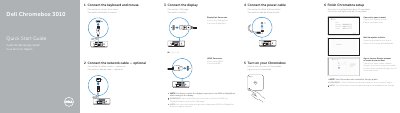
This quick start guide shows how to set up a Dell Chromebox 3010 by connecting a keyboard, mouse, optional network cable, display, and power, then turning it on and completing setup. It also lists the device connectors and buttons, registration and support links, and regulatory and warranty information.
The guide is provided in English, French, and Portuguese and includes setup illustrations, a features diagram, and NOM regulatory details.
| Input voltage | 19.5 VDC |
|---|---|
| Maximum input current | 3.34 A |
| Computer model | Dell Chromebox 3010 |
Switch the display's input source to HDMI or DisplayPort.
Register it at dell.com/support/registration.
The Chromebox restarts.
Visit dell.com/contactdell.