
The Dell Wyse Cloud Client Wyse 3010 Quick Start Guide provides information on how to set up and use the Dell Wyse Cloud Client Wyse 3010.
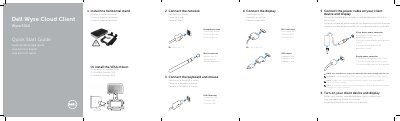
This guide provides instructions for setting up the Dell Wyse 3010 Cloud Client. It covers connecting peripherals such as the keyboard, mouse, and display via DVI-I or VGA adapters, as well as attaching the network cable and power adapter. Users can also choose to install the horizontal stand or a VESA mount depending on their setup requirements.
| Network port speed | 10/100/1000 Base-T |
|---|---|
| Power input voltage | +12V DC |
| USB ports | 2 |
| Video ports | 1x DVI-D/1x VGA |
The client device is ready to use when the client device activity light goes off.
Components may vary based on the model and location.