
The Venue 11 Pro Quick Start Guide provides instructions on how to connect the power adapter, finish Windows setup, connect to a network, and sign in to or create an account.
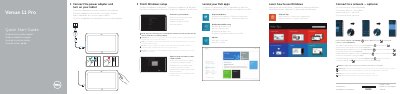
This document serves as a multilingual quick start guide for the Dell Venue 11 Pro tablet. It provides step-by-step instructions for powering on the device, completing the Windows setup, and connecting to a network. The guide includes specific notes for secured wireless networks and account registration.
| Regulatory model | T07G |
|---|---|
| Regulatory type | T07G002 |
| Computer model | Venue 7140 |
Yes, you must enter the password for the wireless network access when prompted.
Enter the password for the wireless network access when prompted.
You may need to activate your network service before connecting.
The device supports an optional microSD memory card and a micro-SIM card on LTE/HSPA+ models only.