
Dell XPS 13 Quick Start Guide

The Dell XPS 13 laptop quick start guide includes steps such as connecting the power adapter, pressing the power button, and finishing the operating system setup.
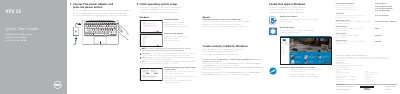

Dell XPS 13 Quick Start Guide - cover page
Brand
DELL
Category
Laptops
Document type
User Manual
Language
English
Pages
2
File format
PDF
File size
378 KB
Published
20 November, 2023
Updated
20 November, 2023
Model
XPS 13
MD5 checksum
D85AC84D594780E62C808908143A8F24

About this manual

This document serves as a Quick Start Guide for the Dell XPS 13 laptop, covering initial setup steps such as connecting the power adapter, enabling updates, and creating recovery media. It includes multilingual instructions for Windows, Ubuntu, and other operating systems.

What's inside

  • Connect the power adapter
  • Finish operating system setup
  • Enable Dell updates
  • Connect to your network
  • Sign in to your Microsoft account
  • Create recovery media
  • Locate Dell apps
  • Features and ports
  • Shortcut keys

Frequently asked questions

What voltage range does the power adapter support?

The power adapter supports an input voltage of 100 V CA–240 V CA.

What is the output voltage of the power adapter?

The output voltage is 19,50 V DC.

How many battery-charge status lights are on the device?

There are 5 battery-charge status lights.

Download PDF (378 KB)

More DELL Manuals


View all DELL manuals →