
The Dell Vostro 20 3000 Series Quick Start Guide provides information on how to set up and use your Dell Vostro 20 3000 Series computer.
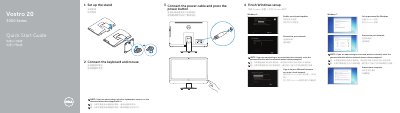
The guide walks through initial setup for the Dell Vostro 20-3052 (Vostro 20 3000 Series) computer, including stand assembly, connecting the keyboard and mouse, connecting the power cable, and finishing Windows setup for Windows 7 or Windows 8.
It also identifies the locations of features such as the camera, USB ports, memory-card reader, and power button, and lists Dell apps, support websites, and regulatory information.
| Optical drive | Optional |
|---|---|
| Part number | F3C3F A00 |
Product support and manuals are available at dell.com/support and dell.com/support/manuals.
Yes, the optical drive is listed as optional.
The first setup step is to set up the stand.