
The Dell Vostro 20 3000 Series Quick Start Guide provides information on how to set up and use your Dell Vostro 20 3000 Series computer.
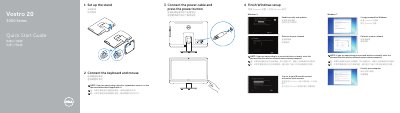
This guide shows the basic setup steps for the Dell Vostro 20 3000 Series: set up the stand, connect the keyboard and mouse, connect the power cable and press the power button, then finish Windows setup. It also covers signing in, connecting to a network, setting a Windows password, enabling security and updates, and protecting the computer.
The second page identifies the computer's features and connectors, lists Dell apps such as Dell Backup and Recovery and My Dell, and provides support, registration, contact, and regulatory information. The listed computer model is Vostro 20-3055 series. This manual is written in Chinese.
| Regulatory model | W15B |
|---|---|
| Regulatory type | W15B001 |
| Computer model | Vostro 20-3055 series |
| Optical drive | Optional |
Set up the stand.
See the Owner's Manual at dell.com/support.
It can back up, recover, repair, or restore your computer.