
Dell Inspiron 14 5000 Series Laptop Quick Start Guide.
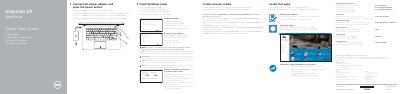
This guide walks through connecting the power adapter, completing Windows setup, enabling Dell updates, connecting to a network, signing in, creating recovery media, locating Dell apps, and registering the computer. It also lists Dell Help & Support, SupportAssist, product support, and contact information.
The second page identifies the laptop's features and ports, including the camera, microphones, power-adapter port, network port, HDMI port, USB ports, media-card reader, optical drive, headset port, security-cable slot, power button, battery, and service tag. It also explains shortcut keys for audio, brightness, wireless, sleep, and other functions.
| Input voltage | 100 V AC-240 V AC |
|---|---|
| Frequency | 50 Hz-60 Hz |
| Input current | 1.30 A / 1.60 A / 1.70 A |
| Output voltage | 19.50 V DC |
| Output current | 2.31 A / 3.34 A |
| Country of origin | China |
| Power-adapter port | 1 |
| Network port | 1 |
| HDMI port | 1 |
| USB 3.0 port | 1 |
| Media-card reader | 1 |
| USB 2.0 ports | 2 |
| Optical drive | 1 |
| Headset port | 1 |
| Security-cable slot | 1 |
In Windows search, type Recovery, click Create a recovery media, and follow the instructions on the screen.
Enter the password for the wireless network access when prompted.
Product support and manuals are available at Dell.com/support.
The service tag label is item 20 in the features diagram.