
The Dell Latitude 12 5000 Series Notebook Quick Start Guide
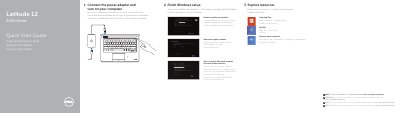
This quick start guide for the Dell Latitude 12 5000 Series notebook explains how to connect the power adapter, turn on the computer, and finish Windows setup. It also covers enabling security and updates, connecting to a network, and signing in to a Microsoft account or creating a local account.
The document lists features including network, USB 3.0, HDMI, microphone, camera, memory-card, smart-card, and headset connectors. Support information and regulatory details are provided, including regulatory model P25S.
| Número de modelo reglamentario | P25S |
|---|---|
| Voltaje de entrada | 100 V CA–240 V CA |
| Corriente de entrada (máxima) | 1,7 A |
| Frecuencia de entrada | 50 Hz–60 Hz |
| Voltaje de salida | 19,5 +/- 1 VCC |
Connect the power adapter and turn on the computer.
See dell.com/support/manuals for more information.
The regulatory model is P25S.