
The Dell Latitude 14 5000 Series Quick Start Guide describes how to connect the power adapter, finish Windows setup, connect to a network, and sign in to your Microsoft account or create a local account.
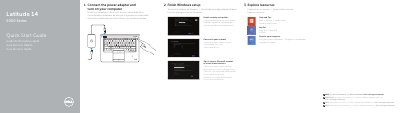
This Dell quick start guide walks through connecting power, completing Windows setup, enabling security and updates, connecting to a network, signing in, and exploring Dell resources. It also identifies the laptop's ports, lights, connectors, and optional features.
The guide lists the computer model as Latitude 14-E5450/5450 and provides regulatory, importer, and power information for the NOM requirements, along with Dell support and manual links.
| Computer model | Latitude 14-E5450/5450 |
|---|---|
| Regulatory model | P48G |
| Regulatory type | P48G001 |
| Input voltage | 100 V AC–240 V AC |
| Input current (maximum) | 1.7 A |
| Input frequency | 50 Hz–60 Hz |
| Output current | 3.34–4.62 A |
| Output voltage | 19.5 +/- 1 V DC |
See the Owner's Manual at dell.com/support/manuals.
They are available at dell.com/support and dell.com/support/manuals.
Dell México S.A. de C.V.