
Dell Latitude 15 3000 Series Notebook Quick Start Guide

The Dell Latitude 15 3000 Series Notebook Quick Start Guide.
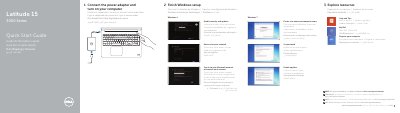

Dell Latitude 15 3000 Series Notebook Quick Start Guide - cover page
Brand
DELL
Category
Laptops
Document type
Quick Start Guide
Language
English
Pages
2
File format
PDF
File size
268 KB
Published
19 November, 2023
Updated
19 November, 2023
MD5 checksum
D2ED5BE4189067B6C30F17E116291CC5

About this manual

This quick start guide helps set up a Dell Latitude 15 3000 Series notebook. It outlines connecting power, completing Windows setup, connecting to a network, signing in, and exploring Dell resources.

The guide also identifies notebook features such as connectors, camera, touchpad, speakers, and an optional fingerprint reader, and lists product support, manuals, regulatory information, and the computer model Latitude 15-3550.

What's inside

  • Connect the power adapter and turn on your computer
  • Finish Windows setup
  • Explore resources
  • Features
  • Product support and manuals
  • Regulatory and safety

Specifications

USB 3.0 connectors2
USB 2.0 connector1
Fingerprint readerOptional
Computer modelLatitude 15-3550

Frequently asked questions

Where can I find the owner's manual?

See the Owner’s Manual at dell.com/support/manuals.

How many USB 3.0 connectors does the notebook have?

The notebook has two USB 3.0 connectors.

Is the fingerprint reader included on all units?

The fingerprint reader is optional.

Download PDF (268 KB)

More DELL Manuals


View all DELL manuals →