
The Uniden AT6408 is a multifunctional telephone with features such as caller ID, voicemail, and hands-free calling. It also has an adjustable LCD contrast and flash time/pulse and tone/privacy settings.
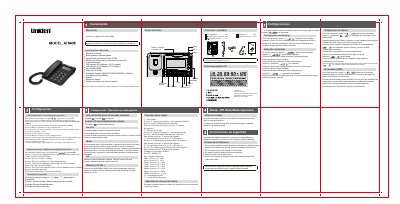
The Uniden AT6408 is a cordless phone featuring a large screen and buttons, caller ID (FSK/DTMF), and a one-way speakerphone. It includes several customizable settings such as ringtone selection, LCD contrast adjustment, and a 'Do Not Disturb' (DND) mode.
The device supports multiple alarm settings, a hold music function, and memory for direct dialing. It also allows users to configure flash time, pulse/tone modes, and local area codes through the main menu. This manual is written in Spanish.
| Incoming CID Capacity | 50 (8 digits) or 32 (16 digits) |
|---|---|
| Outgoing CID Capacity | 14 (8 digits) or 8 (16 digits) |
| Flash Time Options | 90/95/100/120/180/300/600/1000ms |
| Default Flash Time | 600ms |
Press and hold the "1" key for 20 seconds to switch modes; the screen will display "guardar" to confirm.
While on hook, press Set to open the main menu, then press 1 for the date or 2 for the time.
It stores 50 (8 dígitos) or 32 (16 dígitos) incoming caller ID entries.
Press and hold 1 for 20 segundos to change the phone to pulse mode.