
This document provides a quick installation guide for the MOBOTIX M22 camera.
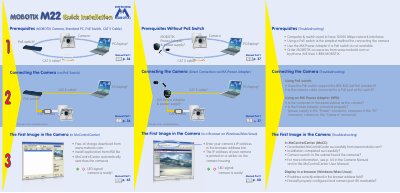
The MOBOTIX M22 Quick Installation Guide describes two connection methods: through a PoE switch or directly through an MX Power Adapter. It lists prerequisites, indicates camera readiness with an LED signal, and explains how to display the first image in MxControlCenter or in a browser on Windows, Mac, or Linux.
Troubleshooting checks cover PoE switch support, adapter connections, subnet settings, MxControlCenter installation and camera search, browser IP entry, firewall access to port 80, and 10/100 Mbps network interfaces. The guide also summarizes MxControlCenter features, camera user-interface controls, and MOBOTIX contact information.
| PoE standard | IEEE 802.3af |
|---|---|
| Camera browser port | 80 |
| Required network interface speed | 10/100 Mbps |
Download MxControlCenter free from www.mobotix.com, install it from the MSI file, and let it automatically search for cameras.
Enter the camera's IP address in the browser address bar; the IP address is printed on a sticker on the camera housing.
Check whether the PoE switch supports IEEE 802.3af and whether the camera cable is connected to a PoE port.
The computer and switch need 10/100 Mbps network interfaces.