
A quick installation guide for the MOBOTIX v26 Indoor Dome camera, covering delivered parts, mounting, lens installation, and optional module setup.
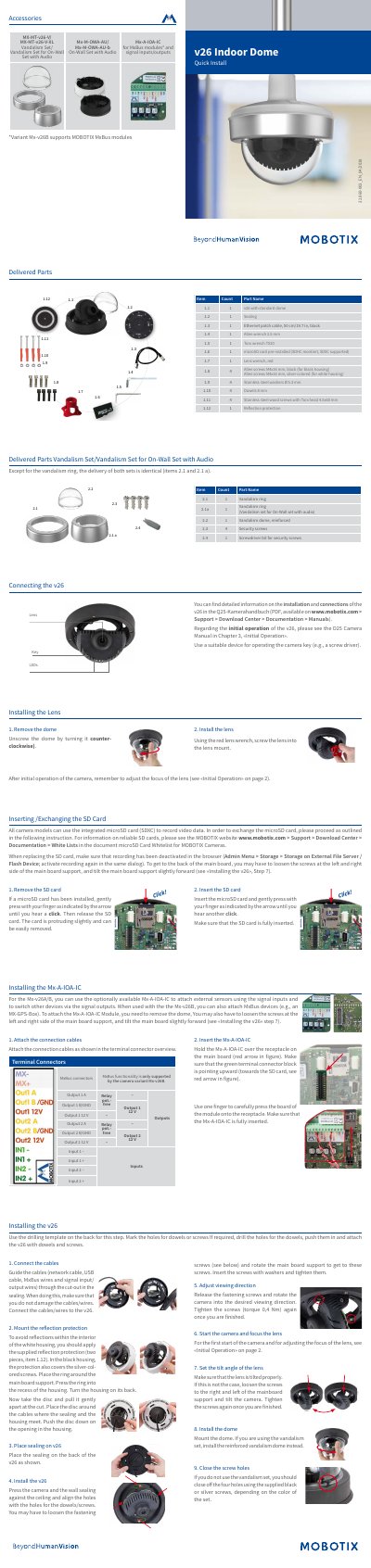
This document serves as a quick installation guide for the MOBOTIX v26 Indoor Dome camera. It details the delivered parts, including the camera unit, sealing, cables, and tools required for setup. The guide provides step-by-step instructions for connecting the camera, installing the lens, inserting or exchanging the microSD card, and mounting the device securely to a ceiling or wall.
| Image Sensor | 1/1,8" CMOS, 6MP |
|---|---|
| Max. Image Size | 6MP (3072x2048) |
| Lens Options | B036 – B237 |
| Power Supply | Power over Ethernet IEEE 802.3af |
| Ambient Temperature | 0 to 40 °C |
| Dimensions | 90 x 150 mm |
The camera supports SDHC and SDXC cards for recording video data.
Yes, the Mx-A-IOA-IC can be used with the Mx-v26A to attach external sensors and switch devices.