
The Maxim MR16 evaluation demo platform allows users to quickly demonstrate the compatibility and flicker-free operation of a MAX16840 based MR16 LED bulb and compare it with the performance of other bulbs.
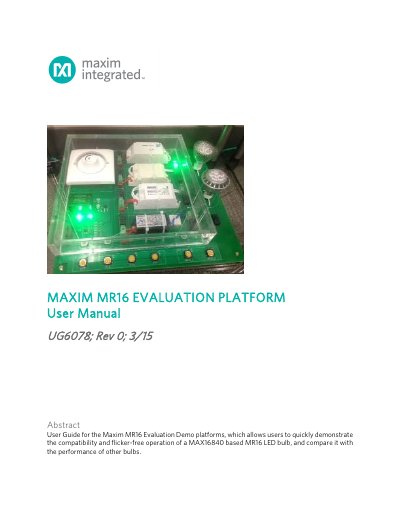
The Maxim Integrated MR16 Evaluation Platform User Manual (UG6078, Rev 0) covers the MAX16840DEMO1# (110VAC) and MAX16840DEMO2# (220VAC) demo kits, which demonstrate compatibility and flicker-free operation of MAX16840-based MR16 LED bulbs and compare them with other bulbs.
The kit includes the demo board and a printed Quick Start Guide. Users plug the board into the correct local AC outlet, insert two MR16 bulbs into the sockets, select one of four electronic transformers and a bulb using the bottom switches, and use a dimmer to cycle through transformers and check for flicker.
| Line Voltage (MAX16840DEMO1#) | 110VAC |
|---|---|
| Line Voltage (MAX16840DEMO2#) | 220VAC |
| Output Voltage | 12V |
| Bulb Type | MR16 |
The platform is available in 110VAC (MAX16840DEMO1#) and 220VAC (MAX16840DEMO2#) versions.
Cycle through the four electronic transformers using the bottom switches and dimmer, then look for flicker.
The kit includes an OSRAM MR16 bulb with the MAX16840 driver and a TBD bulb with a competitor driver.