
The Mercedes-Benz hands-free system can be connected to the user's mobile phone. This document describes the steps on how to pair a Motorola XT882 (China Telecom) with the Mercedes-Benz hands-free system.
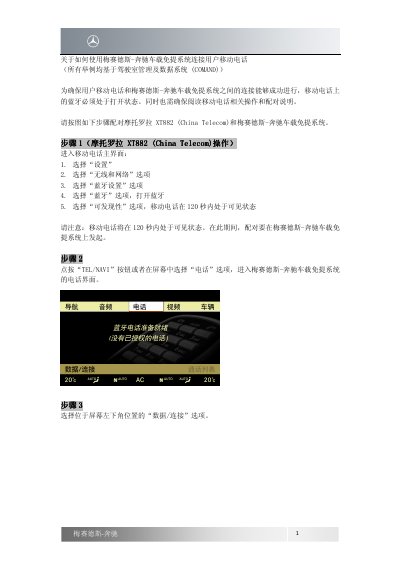
This document explains how to connect a mobile phone to the Mercedes-Benz hands-free system, using COMAND as the example system. It describes enabling Bluetooth on the phone, making the phone discoverable, and starting the pairing process from the vehicle telephone interface.
The example phone is a Motorola XT882 (China Telecom). The instructions cover selecting the phone from the vehicle's Bluetooth phone list, entering the same password on both devices, and confirming when authorization is successful. This manual is written in Chinese.
Bluetooth must be turned on, and the phone's operating and pairing instructions should be read.
The mobile phone is visible for 120 seconds after the discoverability option is selected.
Enter any password, such as 0000, and enter the same password on the mobile phone.
After successful connection, the mobile phone name, such as XT882, appears below the vehicle icon at the top right of the screen.