
Mercedes-Benz In-Car Telephone System User Manual

This manual explains how to pair a mobile phone with the Mercedes-Benz in-car telephone system using Bluetooth, specifically detailing steps for the Huawei P9.
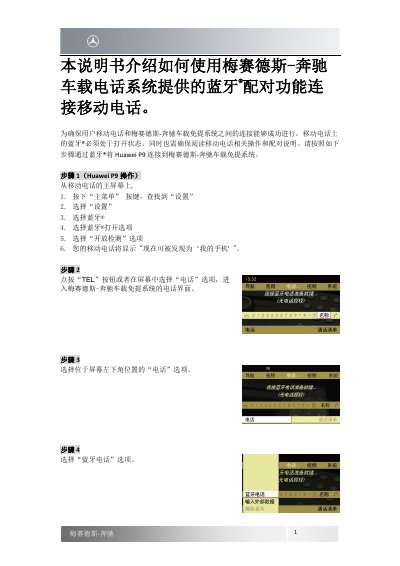

Mercedes-Benz In-Car Telephone System User Manual - cover page
Brand
Mercedes-Benz
Category
Car Accessories
Document type
User Manual
Language
Chinese
Pages
3
File format
PDF
File size
502 KB
Published
18 October, 2026
Updated
18 October, 2026
MD5 checksum
C1FEF44EB0811D890D3D9FF4446235E6

About this manual

This manual provides instructions for connecting a mobile phone to the Mercedes-Benz in-car telephone system via Bluetooth pairing. It ensures the mobile phone's Bluetooth is enabled and guides the user through the necessary settings on the phone. This manual is written in Chinese.

What's inside

  • Bluetooth Pairing
  • Huawei P9 Operation
  • System Search
  • Password Entry
  • Authorization
  • Contact Access

Frequently asked questions

How do I start the Bluetooth pairing process on the car system?

Press the 'TEL' button or select the 'Telephone' option on the screen to enter the telephone interface.

What password should I use to pair the phone?

You can enter any password between 4 and 25 digits, such as 0000.

How do I know if the pairing was successful?

The system will display an 'Authorization Successful' prompt, and the phone name will appear at the bottom of the screen.

Download PDF (502 KB)

More Mercedes-Benz Manuals


View all Mercedes-Benz manuals →