
V.Smile TV New Generation is a compact, wireless, easy-to-use and highly educational device. Specially designed for children from 3 years old, it is an educational adventure game.
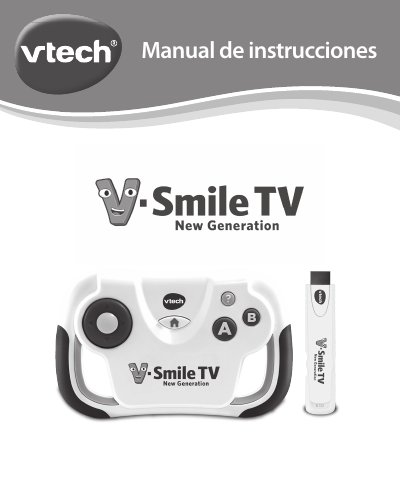
This Spanish manual de instrucciones covers the VTech V.Smile TV New Generation, described in the text as a compact, wireless and easy-to-use Plug & Play console with educational content, designed for children from 3 years of age. The packaging contents listed are a wireless controller, an HDMI Plug & Play connector, a micro USB power cable and a quick start guide.
The manual explains how to connect the HDMI connector to the television and power it from a free USB port or a DC 5V adapter, how to install two AA batteries in the wireless controller, and how the controller buttons (direction buttons, A, B, Home and Help) work in the game. It also describes the main game screens, game elements such as gems and knowledge fruits, obstacles, educational characters and Pixies, plus auto power-off, screen saver, care and maintenance, and troubleshooting steps. This manual is written in Spanish.
| Power connection | HDMI Plug & Play connector powered through micro USB from a free TV USB port or a DC 5V/500mA adapter |
|---|---|
| Batteries (wireless controller) | 2 x AA (AM-3/LR6); alkaline batteries recommended |
| Recommended age | Children from 3 years of age |
| Auto power-off | Wireless controller switches off after 1 minute without play |
| Screen saver | Starts after about 20 minutes without interaction |
| Included in packaging | Wireless controller, HDMI Plug & Play connector, micro USB power cable, quick start guide |
| TV connection | Plug & Play connector plugs into the TV HDMI port |
Connect the micro USB cable to the USB port of the HDMI connector, plug the connector into the TV HDMI port, and connect the large end of the micro USB cable to a free USB port on the television or to a DC 5V/500mA adapter.
It uses 2 new AA (AM-3/LR6) batteries, and alkaline batteries are recommended for better performance.
To preserve battery life, the wireless controller switches off after 1 minute without play; press any button to activate it again.
The package contains a wireless controller, an HDMI Plug & Play connector, a micro USB power cable and a quick start guide.