
This document describes how to enable online payment on an iPhone.
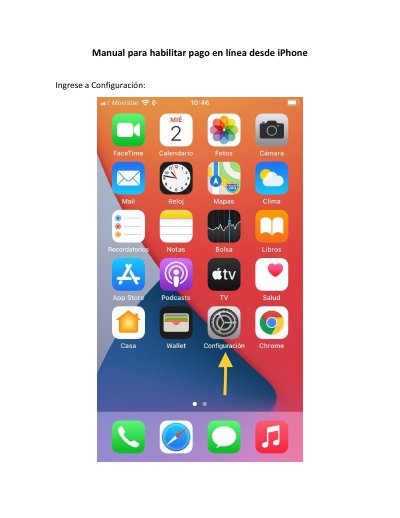
This Spanish-language manual explains how to enable online payment on an iPhone. It instructs the user to open Settings and select Safari.
The guide then directs the user to find the “Bloquear ventanas” option in the General menu and disable it. This manual is written in Spanish.
Open Settings, select Safari, go to the General menu, and disable “Bloquear ventanas” (Block Pop-ups).
Disable “Bloquear ventanas” (Block Pop-ups) in the Safari General menu.