
The Trimble TDL2.4 data link radio provides connectivity between a data collector and a Trimble Total Station Radio by bridging a Bluetooth® wireless technology connection from a data collector to the TDL2.4 data link radio and routed to a remote Trimble Total Station Radio.
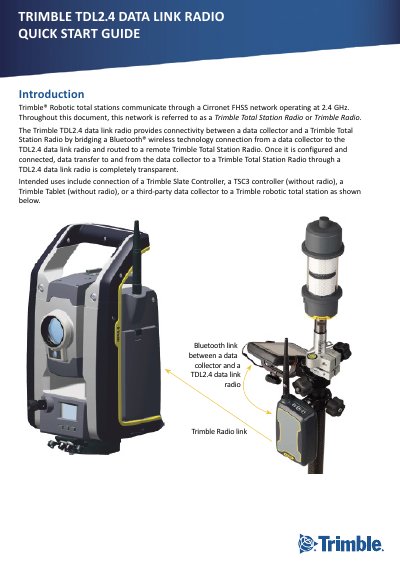
The Trimble TDL2.4 data link radio bridges a Bluetooth connection from a data collector to a remote Trimble Total Station Radio, making data transfer transparent. Intended uses include connecting a Trimble Slate Controller, a TSC3 controller (without radio), a Trimble Tablet (without radio), or a third-party data collector to a Trimble robotic total station.
The guide covers parts and packout contents, battery installation and charging, button and LED behavior, Bluetooth pairing, connection to a Trimble Radio, Trimble Access software connection steps, and specifications.
| Certification | IPS5 and MIL-STD-810G |
|---|---|
| Charging temperature | 0° C to +40° C (32° F to 104° F) |
| Humidity | Safe to dock handheld damp with condensation |
| Connector durability | Supports 2,000 insertions/removals |
| Certifications | CE, FCC, C-TICK, RoHS compliant |
| Charging time | Four hours (additional time may be required if using a computer) |
| USB charging rate | .5 amp when plugged into a computer USB port |
If a pairing code is required, use the number 1234.
The status LEDs stay on for five seconds after the last press of the Battery button.
The internal Trimble Radio of the TDL2.4 data link radio is only turned on after a Bluetooth connection is established.
Charge the battery for four hours; additional time may be required if using a computer.