
The Omron HN-289 Digital Scale is a multi-function electronic scale that has the following features: 1. It can measure weight, body fat percentage, muscle rate, bone mass, and visceral fat. 2. It can store data for up to 4 people. 3. It has an automatic shutdown function, which will automatically shut down after 1 minute of no operation.
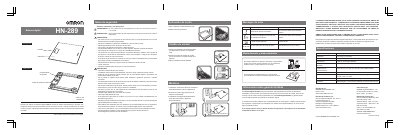
This manual is for the Omron HN-289 digital scale and covers safety notes, battery activation, unit selection, measurement, error messages, maintenance and storage, warranty information, and specifications.
The scale has a capacity of 5 to 150 kg, a minimum display unit of 0.1 kg, and uses one 3 V lithium battery (CR2032). It also lists dimensions, weight, operating and storage conditions, and approximate battery life. This manual is written in Spanish.
| Capacity | 5 to 150 kg (11 to 330 lb) |
|---|---|
| Minimum display unit | 0.1 kg (0.2 lb) |
| Power supply | 1 lithium battery, 3 V (CR2032) |
| Dimensions | Approximately 290 (width) x 270 (height) x 22 (depth) mm |
| Weight | Approximately 1.2 kg (3.3 lb, including battery) |
| Operating temperature and humidity | +5 to +35 C (+41 to +95 F) / 30 to 85% relative humidity |
| Storage conditions | -20 to +60 C (-4 to +140 F) / 10 to 95% relative humidity |
| Battery life | Approximately 1 year (with 4 measurements per day) |
Press the scale platform until a number appears on the LCD.
Press the unit-change button on the back of the scale, then choose the desired unit.
Movement occurred during measurement or the user left the platform before measurement finished; do not move until measurement finishes.
Change the battery.