
The STEVAL-USBI2CFT is a versatile USB-I2C bridge for communication and programming of ST wireless charging IC, and evaluation boards, with the STSW-WPSTUDIO software.
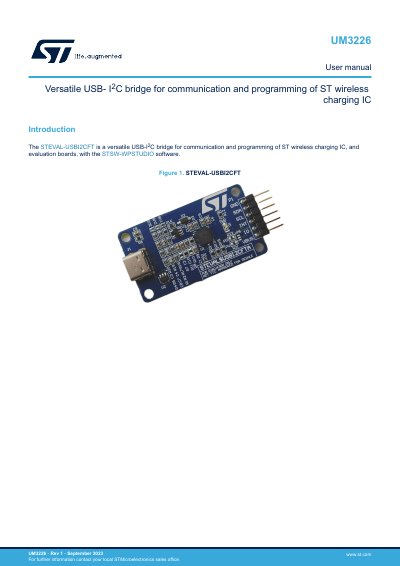
The STEVAL-USBI2CFT is a USB-I2C bridge for communication and programming of ST wireless charging ICs and evaluation boards using STSW-WPSTUDIO software. It is based on the FT260Q USB HID to I2C bus converter, which does not require additional software drivers; Windows installs the necessary driver after the first USB plug-in.
The manual explains software installation and hardware connection, including GND, SDA, SCL, and INT wiring and voltage selection of 1.8, 2.5, or 3.3 V by soldering a bridge. It also describes the STSW-WPSTUDIO interface, supported WLC evaluation kits, component layout, schematic diagrams, bill of materials, board versions, and regulatory compliance information.
| USB-I2C controller | FT260Q USB HID to I2C bus converter |
|---|---|
| Driver requirement | No additional software drivers |
| I/O voltage | 1.8 V, 2.5 V, or 3.3 V |
| Maximum USB-I2C converters per STSW-WPSTUDIO | 2 |
It is used with STSW-WPSTUDIO software, which provides the interface for connecting and configuring supported wireless charging evaluation boards.
No. The FT260Q does not require additional software drivers, and Windows installs the necessary driver after the first USB plug-in.
Solder one of the board's soldering bridges to set the voltage to 1.8 V, 2.5 V, or 3.3 V.
STSW-WPSTUDIO can connect a maximum of two USB-I2C converters, allowing PTx and PRx to be evaluated at the same time.