
The Nitecore EC4 flashlight is made of a lightweight and坚固筒身一体成型技术铸造,采用CREE XM-L2 U2 LED,最高1000流明超强亮度输出,双开关设计,用户界面简洁方便,尾盖转盘锁定设计,自带标准脚架接口,具备可快速切换的5种亮度和3种特殊功能,采用高效率恒流电路,最长260小时续航时间.
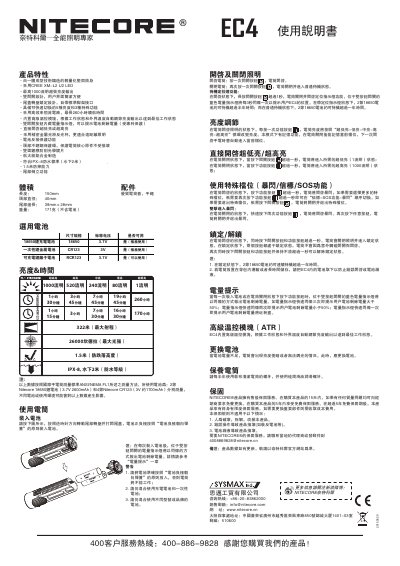
This is the Chinese-language user manual for the Nitecore EC4 flashlight, built with a unibody lightweight body and a CREE XM-L2 U2 LED that reaches a maximum output of 1000 lumens. The light uses a two-switch interface with five brightness levels and three special modes (strobe, beacon and SOS), plus direct access to ultra-low and turbo from off.
The manual explains turning the light on and off, the standby locator beacon, brightness adjustment, special modes, lockout and unlock, the blue battery level indicator, the built-in advanced temperature regulation (ATR) module, and battery installation in the tail-cap compartment. It lists the EC4's dimensions, weight and ANSI/NEMA FL1 brightness and runtime data, plus cleaning advice and the Nitecore warranty terms. This manual is written in Chinese.
| LED | CREE XM-L2 U2 |
|---|---|
| Maximum output | 1000 lumens |
| Maximum beam intensity | 26000 candela |
| Maximum beam distance | 322 meters |
| Waterproof rating | IPX-8, 2 meters underwater |
| Impact resistance | 1.5 meters |
| Length | 150 mm |
| Head diameter | 40 mm |
| Weight | 171 g (without batteries) |
| Maximum runtime | 260 hours |
| Brightness levels | 5 brightness levels and 3 special functions |
| Battery options | 2 x 18650 or 4 x CR123 |
Press the switch button once to turn the light on. Press the switch button once again to turn it off; it then goes into normal standby.
With the light on, press and hold both the switch button and the function button for more than one second to lock it. Press and hold both buttons again for more than one second to unlock.
Each time batteries are installed, or when the function button is pressed while the light is off, the blue indicator in the dual-button switch flashes the remaining charge: three fast flashes mean more than 50%, two mean less than 50%, and one means the battery is nearly depleted.
The built-in advanced temperature control module automatically adjusts brightness output according to the working state and outside temperature to reach the best working condition.
While the light is on, each press of the function button cycles through ultra-low, low, medium, high and turbo. The light remembers the current level and returns to it the next time it is turned on.