
Key facts
- Brand
- Nitecore
- Model
- EC4
- Industry
- Electronics
- Documents
- 3
- Languages
- EN · ZH
- Last added
- 2026-10-30
Start here
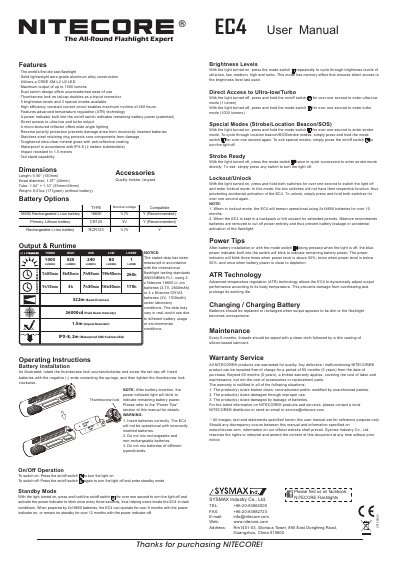
Nitecore EC4 Flashlight User Manual
This manual details how to operate the Nitecore EC4 flashlight, including brightness settings, power modes, and battery installation. It also covers maintenance tips and warranty information. The EC4 features a die-cast aluminum body, CREE XM-L2 U2 LED, IPX-8 waterproofing, and advanced temperature regulation for extended runtime.
Read onlineNitecore EC4 specifications
| Maximum Output | 1000 lumens |
|---|---|
| Waterproof Rating | IPX-8 (2 meters submersible) |
| Impact Resistance | 1.5 meters |
| Weight | 6.03oz (171gram) (without battery) |
| Runtime (Turbo) | 1h15min |
| Beam Distance | 322m |
| Peak Beam Intensity | 26000cd |
All Nitecore EC4 documents by type
Day-to-day operation, settings and troubleshooting. Start here if the product is already set up.
Questions answered in these manuals
How do I access turbo mode?
With the light turned off, press and hold the mode switch for over one second to enter turbo mode (1000 lumens).
What is ATR technology?
Advanced temperature regulation (ATR) technology allows the EC4 to dynamically adjust output performance according to its body temperature, preventing overheating and prolonging its working life.
How do I access the ultralow and turbo outputs?
With the light turned off, press and hold the on/off switch for over one second to enter ultralow level, or press and hold the mode switch for over one second to enter turbo level.
What are the special modes available?
The flashlight features strobe, location beacon, and SOS modes.
How do I turn the Nitecore EC4 on and off?
Press the switch button once to turn the light on. Press the switch button once again to turn it off; it then goes into normal standby.
How do I lock and unlock the EC4?
With the light on, press and hold both the switch button and the function button for more than one second to lock it. Press and hold both buttons again for more than one second to unlock.