
This document describes how to set up and use a baby monitor.
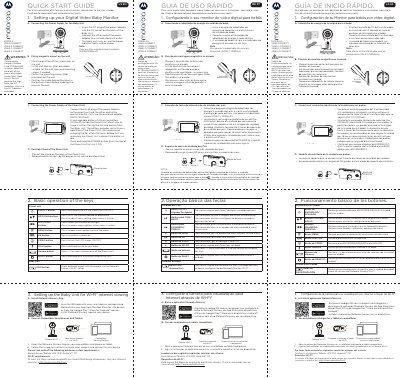
The Motorola VM65 CONNECT series digital video baby monitor quick start guide covers the VM65 CONNECT, VM65-2 CONNECT, VM65-3 CONNECT, and VM65-4 CONNECT models. It explains connecting power to the baby unit and parent unit, fixing the magnetic mount to a wall, using the parent unit desktop stand, and charging the parent unit battery.
The guide also describes the parent unit and baby unit keys, including power, menu, video, talk, volume, reset, and pair buttons. For Wi-Fi internet viewing, it covers installing the Motorola Nursery App and viewing on compatible smartphones and tablets, with minimum requirements of iOS 10.0, Android 7.0, and at least 0.6 Mbps upload bandwidth.
| Models | VM65 CONNECT, VM65-2 CONNECT, VM65-3 CONNECT, VM65-4 CONNECT |
|---|---|
| Baby unit power adapter | DC5V/1000mA |
| Parent unit power adapter | 5VDC/1000mA |
| Parent unit battery | Rechargeable lithium ion battery, 2000mAh |
| Parent unit operating time | Up to 5 hours |
| Recommended first charge | At least 16 hours |
| Smartphone/tablet system requirements | iOS 10.0, Android 7.0 |
| Wi-Fi upload bandwidth | At least 0.6 Mbps |
It covers the VM65 CONNECT, VM65-2 CONNECT, VM65-3 CONNECT, and VM65-4 CONNECT.
The Motorola Nursery App is used to view the camera on compatible smartphones and tablets.
The battery provides up to 5 hours of operation.
The listed requirements are iOS 10.0 and Android 7.0.