
The GP2 data logger is an advanced data acquisition controller with complex calculation measurement and advanced feedback control functions. It has 12 differential analog input channels, four event/digital counter channels, and one WET sensor serial input channel. With the relay expansion module, two output relays can be expanded to six. Two sets of terminals provide sensors with 3V precision reference power or unregulated power supply.
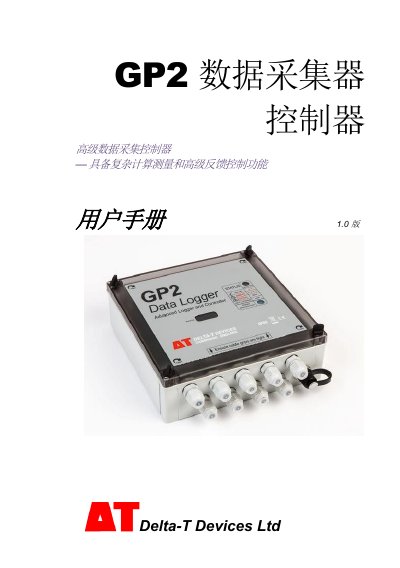
The Delta-T Devices GP2 is an advanced data acquisition controller with 12 differential analog input channels (or 24 single-ended), four event/digital counter channels, one WET sensor serial input and two output relays that can be expanded to six. It stores about 2.5 million readings, reads sensors at intervals from 1 second to over 1000 days, and supports calculated measurements, user-defined variables and relay control based on thresholds or logic.
This version 1.0 user manual covers unboxing, an overview of the layout, channels, sensor supply and status LED, installing DeltaLINK 3 and connecting to the GP2, creating a simple program in six steps, the GP2 simulator, retrieving and importing logged data, plus appendices on the relay expansion module, network wiring, extension enclosures and mounting kits, followed by GP2 specifications, product care, the calibration certificate and legal information. This manual is written in Chinese.
| Analog input channels | 12 differential (or 24 single-ended) |
|---|---|
| Event / digital counter channels | 4 |
| Output relays | 2, expandable to 6 with the relay expansion module |
| Read interval | 1 second to over 1000 days |
| Reading storage capacity | about 2.5 million readings |
| Relay contact rating | up to 1 A (24 VAC or 32 V DC) |
| Analog input signal range | nominal 0 to 2.5 V, full range -1.4 to +2.7 V |
| Sensor supply | 3 V (±0.2 mV) or 5-10.5 V unregulated, plus 5 V (±2%) and 12 V (±0.4 V) terminals |
| Event channel frequency | events 1-2: pulses up to 30 kHz; events 3-4: pulses under 100 Hz |
Connect the GP2 to the PC with the supplied serial cable (GP2-USB or GP2-RS232) and run DeltaLINK. If the logger is not detected, use Detect USB Port or pick the COM port from the list.
Two flashes every ten seconds mean the GP2 is logging, four flashes mean an error, and no flashing means no logging or no battery power.
Press and hold the reset button for more than 5 seconds until the LED flashes four times a second time. This cold reset restores the default program and deletes all data.
A PC running Windows Vista, XP, 7, 8 or later, a free USB or RS232 port with the matching GP2 serial cable, and a DVD drive or internet connection to install the software.