
ASD863+651 DC test equipment is mainly used for function detection, parameter testing and performance evaluation of external power supply PCBA and finished products such as power adapters.
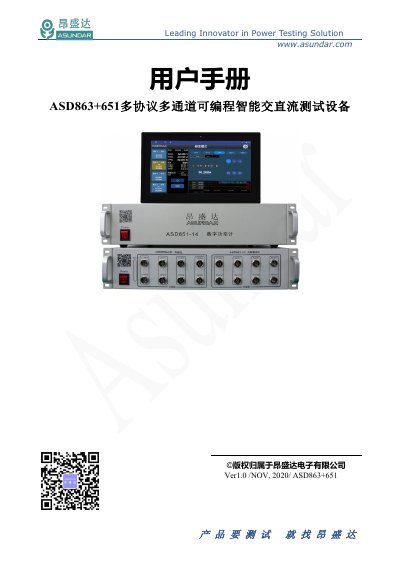
This user manual covers the Asundar ASD863+651 AC/DC test equipment, which consists of the ASD863 multi-protocol load instrument, the ASD651 PF digital power meter, and an Android operating terminal. It is used for functional testing, parameter testing and performance evaluation of power adapters and other external power supply PCBA and finished products. The load instrument integrates 4 independent programmable multi-protocol electronic load modules compatible with QC and PD fast-charge protocols, and the power meter integrates 4 independent AC test modules with an isolation transformer.
The manual describes unpacking inspection and installation, a quick start with panel introductions, technical specifications, equipment connection, basic operation including R&D mode and automatic test modes (ALONE, 2&2, 4IN1), frequently asked questions, and the warranty agreement. It is written in Chinese.
| Channels | 4 (CH1–CH4) |
|---|---|
| Voltage measurement range | 0~24V |
| Current measurement range | 0~10A rated |
| Power rating | 100W; 150W in production automatic test |
| Supported protocols | QC2.0/PD2.0/QC3.0/PD3.0/PPS/AFC/FCP/SCP/SSCP/VOOC/SVOOC |
| Setting resolution | Voltage 1mV, current 1mA |
| Readback accuracy (25°C) | Voltage ±(0.1%+0.025%FS), current ±(0.1%+0.08%FS) |
| Ripple test | Frequency 50Hz–500kHz, voltage 0–3000mV |
| Power meter adjustable voltage | 90V/100V/110V/120V/130V/200V/220V/240V/260V |
| Mains input | 100~240Vac, 47~63Hz |
| Control | Android touch screen |
| Communication interface | DB9/RS232 |
| Operating temperature | 0 to 40 °C |
| Dimensions | Device 480×300×110mm; Android screen 370×260×30mm |
| Weight | 16kg + 11.8kg + 1.75kg (power meter + load instrument + Android screen) |
Check that the device is powered and the power cord and switch are correctly connected, verify the mains parameters match the requirements, and check whether the fuse is blown; if the fault persists, contact the supplier.
Unplug the power cord, remove the fuse holder with a small screwdriver, replace the fuse with one of the same specification, and reinstall it.
Restart the device and make sure the network connection is normal; if it remains locked, contact the supplier.
Wipe the housing gently with a dry or slightly damp cloth, and do not wipe the inside of the machine.