
Asd863 fast charger adapter tester is composed of multi-protocol load meter, ASD651 PF digital power meter, and Android operating terminal. It is mainly used for functional testing, parameter testing and performance evaluation of power adapter PCBA and finished products.
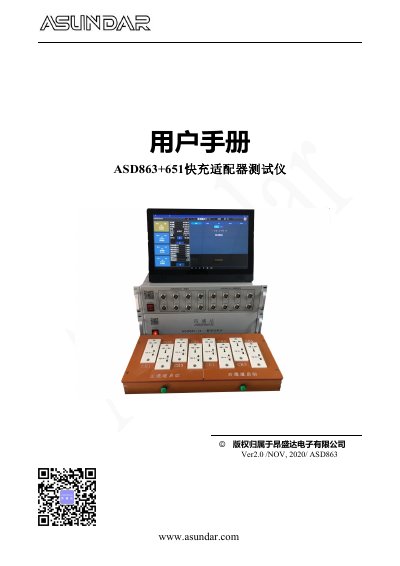
This user manual describes the Asundar ASD863+651 fast charger adapter tester, which consists of a multi-protocol load instrument, an ASD651 PF digital power meter, and an Android operating terminal. It is used for functional testing, parameter testing and performance evaluation of power adapter PCBA boards and finished products.
The manual covers unpacking and installation, quick start with front and rear panel descriptions, technical specifications, equipment connections, and basic operation including R&D mode and automatic test modes (ALONE, 2&2 and 4IN1). The load instrument integrates four independent programmable multi-protocol electronic load modules compatible with QC and PD fast charging protocols, and the power meter integrates four independent AC test modules with an isolation transformer. Test results can be exported to USB storage devices. This manual is written in Chinese.
| Load channels | 4 channels (CH1-CH4), 16 ports |
|---|---|
| Load voltage range | 0~24V |
| Load current range | 0~5A rated, 8A max |
| Load power | 100W rated, 150W max |
| Supported protocols | QC2.0/PD2.0/QC3.0/PD3.0/PPS/AFC/FCP/SCP/SSCP/VOOC |
| Readback resolution | Voltage 1mV, current 1mA |
| Ripple test | Frequency 50Hz–500kHz, voltage 0–3000mV |
| Power meter AC voltage | 9 selectable levels from 90V to 260V |
| Power meter voltage accuracy | <1%+0.1V |
| Power meter current resolution | 1uA (uA range), 1mA (mA range) |
| Display | 15-inch HD LCD touchscreen, Android system |
Check that the device is powered and the power cord and switch are correctly connected, verify the mains parameters meet requirements, and check whether the fuse is blown. If the fault persists, contact the supplier.
Unplug the power cord, use a small screwdriver to remove the fuse holder, replace the fuse with one of the same specification, and restore it.
Restart the device and make sure the network connection is normal. If it remains locked, contact the supplier.
Wipe the housing with a dry or slightly damp cloth; do not wipe the inside of the machine.