
Philips GC6800 series steam iron with OptimalTEMP technology allows you to iron all types of ironable fabrics without adjusting the iron temperature.
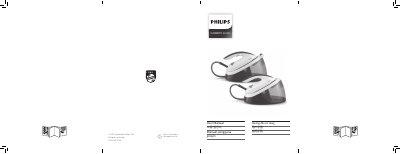
This user manual covers the Philips GC6800 series steam iron, including product overview, preparation, ironing, steam boost, vertical ironing, auto shut-off, cleaning and maintenance, storage, and troubleshooting. It describes OptimalTEMP and Compact ProVelocity technologies, water filling, steam trigger operation, and the Smart Calc-Clean descaling process.
The manual also provides safety warnings, soleplate cleaning instructions, water recommendations, and a troubleshooting table for common steam, shut-off, and Calc-Clean reminder issues.
| Heat-up time | About 2 minutes |
|---|---|
| Steam boost duration | 3 seconds |
| Standby time | 5 minutes |
| Automatic shut-off time | 10 minutes after standby |
| Calc-Clean process time | Approximately 2 minutes |
| Steam boost limit | Not more than 5 times within 3 minutes |
| Recommended water | Tap water; distilled or demineralized water in hard water areas |
Use tap water; in hard water areas, distilled or demineralized water is recommended.
It takes about 2 minutes until the 'iron ready' light lights up continuously.
Fill the water tank halfway, place the iron on the Calc-Clean container, press and hold the CALC-CLEAN button for 2 seconds, then wait about 2 minutes.
The appliance enters standby mode if it has not been used for 5 minutes.