
SLFC-1000 large power remote fan controller, supports manual control and remote control, with RS485 bus interface, can be widely used in various applications such as fans and motors.
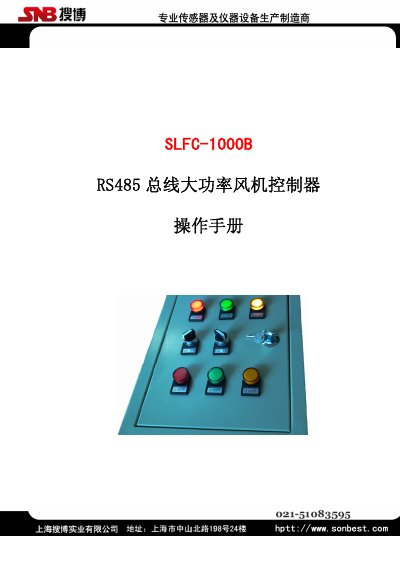
This is the Chinese operation manual for the Shanghai Sonbest SLFC-1000B high-power remote fan controller, an online monitoring control device intended for high-power loads such as fans and motors. The controller offers both on-site manual control and remote control, has a built-in RS485 bus interface for communicating with an RS485 host, and provides dual-circuit fan control with a standard 2 kW load capacity (larger capacities available on order).
The manual explains the connection wiring for single-phase and three-phase supply, the RS485 wiring precautions, and the function of the six indicator lights and two control switches. It also documents the Modbus-RTU communication protocol: the baud rate, device address, the 0x05 command for switching the fan on or off, the 0x03 command for reading running status and phase currents, and the 0x42 commands for reading and setting current calibration parameters. This manual is written in Chinese.
| Load capacity | 2 kW |
|---|---|
| Baud rate | 9600 |
| Communication port / protocol | RS485, MODBUS-RTU |
| Power supply | AC 380V 10A |
| Weight | 12000 g |
| Storage temperature | -20 to 80 °C |
| Supported temperature-measuring cable length | < 1000 m |
| Dimensions | 395 × 300 × 180 mm |
Switch the "remote/local" selector to the local position, then use the open/close switch to start or stop the fan by hand.
The default device address is 1 and the default communication setting is 9600, 8, n, 1.
Send function code 0x03 with start address 0x00 0x00 and data length 0x00 0x06; the phase current values (status 4 to 6) are the ones currently supported.
The module can be calibrated by reading and setting the calibration parameters with function code 0x42.