
This manual introduces the installation and removal methods of the screen protector for EIZO 54.1 cm (21.3 inches) class LCD monitor.
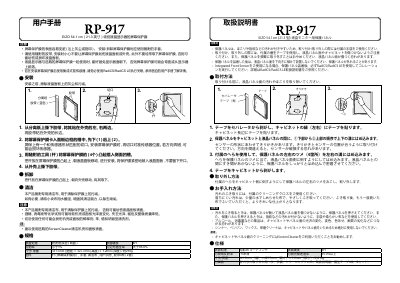
This is the User's Manual for the EIZO 54.1 cm (21.3) inch class LCD Monitor Panel Protector, published by EIZO Corporation in September 2016. It describes how to install, remove, and clean the panel protector for compatible EIZO LCD monitors.
The manual includes precautions for handling the protector, step-by-step installation and removal instructions using the supplied lever and masking tape, cleaning guidance with the enclosed cloth, and product specifications such as anti-reflective coating, 4H surface hardness, reflectivity under 1 percent, light transmission over 95.0 percent, dimensions, weight, and included accessories.
| Surface treatment | Anti-Reflective Coating (Both sides) |
|---|---|
| Coating strength | 4 H |
| Reflectivity | Less than 1 % |
| Light transmission | More than 95.0 % |
| Weight | Approx. 210 g |
| Accessories | Lever (for Panel Protector), Gloves, Cleaning Cloth, User's Manual, Masking tape 4 pieces (2 sets) |
Use the enclosed gloves and the supplied masking tape.
Moisten part of the cleaning cloth with water to enhance its cleaning power.
Never use thinner, benzene, wax, or abrasive cleaner.
Execute correlation using RadiCS/RadiCS LE.