
Supports MP4 file format for recording on SDHC cards
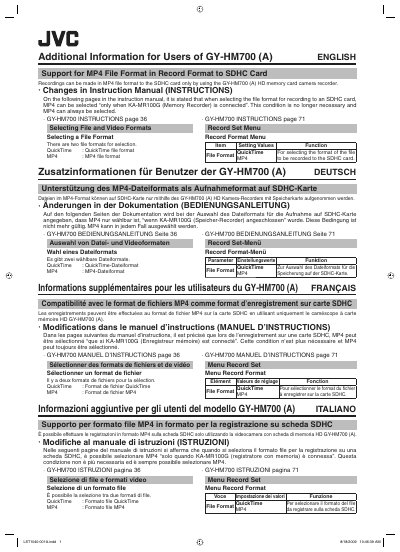
This two-page addendum from Victor Company of Japan provides additional information for users of the GY-HM700 (A) HD memory card camera recorder. It announces support for the MP4 file format when recording to an SDHC card using only the camera recorder, and it lists the corrections to be applied to the GY-HM700 instruction manual.
The addendum states that MP4 can now always be selected as the file format for SDHC card recording, so the earlier condition requiring the KA-MR100G memory recorder to be connected no longer applies. It reproduces the affected manual content for page 36 (Selecting File and Video Formats) and page 71 (Record Set menu, Record Format), and the same information is repeated in French, German, Italian, Spanish, Russian, Japanese and Chinese.
| Selectable file formats | QuickTime, MP4 |
|---|---|
| Recording media | SDHC card |
| MP4 selection condition | MP4 can always be selected; KA-MR100G connection no longer required |
Yes. The condition that the KA-MR100G had to be connected is no longer necessary, and MP4 can always be selected.
Two file formats are available: QuickTime and MP4.
Page 36, Selecting File and Video Formats, and page 71, the Record Set menu under Record Format.
It selects the format of the file to be recorded to the SDHC card, with QuickTime or MP4 as the setting values.