
Key facts
- Manuals
- 37
- Categories
- 3
- Languages
- ZH · EN · JA
- Last added
- 2026-10-03
Featured Victor manuals
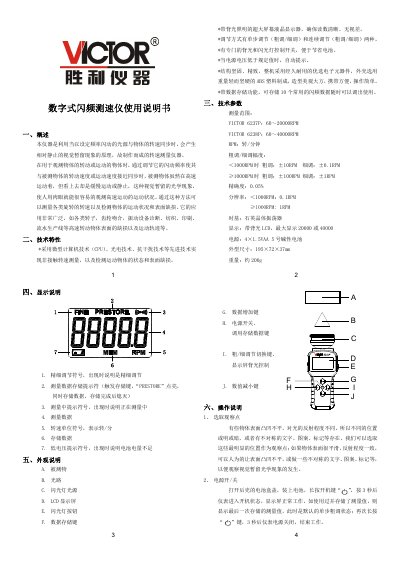
Victor 6237P/6238P Digital Stroboscopic Tachometer User Manual
The Victor 6237P/6238P is a digital stroboscopic tachometer that uses a flashing light synchronized with the rotation speed of a target to create a visual‑persistence effect, allowing the user to observe high‑speed motion as if it were stationary. It is suitable for measuring rotational speed, monitoring motion conditions, and detecting surface defects on a wide range of rotating objects such as rotors, gears, and production line components.
The instrument features a back‑lit LCD display, fine and coarse adjustment modes, data storage for up to ten preset speeds, and low‑voltage warning. Operation includes powering on by long‑pressing the power key, adjusting speed with UP/DOWN keys, switching between fine and coarse adjustment, and storing or recalling measurement values using the MEM and READ keys. This manual is written in Chinese.
Covers: Overview · Technical Features · Technical Specifications · Display Description · Physical Description · Operation Instructions
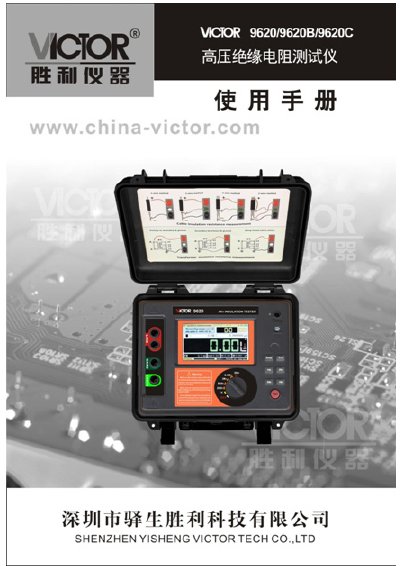
Victor 9620 Insulation Resistance Tester User Manual
This manual introduces the Victor 9620 series high‑performance insulation resistance tester, describing its touch‑screen interface, battery system, and IP65‑rated housing. It outlines the instrument’s multiple test functions such as IR, PI, DAR, RAMP, filter, voltage, capacitance and current measurements.
The document details safe operating procedures, wiring configurations, data storage of up to 1,000 test records, USB data upload, and maintenance requirements. A packing list and warranty information are also included. This manual is written in Chinese.
Covers: Introduction · Model Variants · Insulation Resistance Range and Accuracy · Technical Specifications · Instrument Structure · LCD Display Description
Victor KW-AVX836/KW-AVX835 User Manual
This manual explains how to operate the KW-AVX836/KW-AVX835 AV system, covering menu navigation, input selection, Bluetooth pairing, and lighting sensor settings. It includes step‑by‑step procedures for using the AV Menu, Setup screens, and source selection such as USB, iPod/iPhone, and TUNER.
Technical details such as power requirements, dimensions, and environmental limits are listed, along with a multilingual Bluetooth usage guide. The document also contains reference tables for menu items, sensor sensitivity, and display options.
Covers: AV Menu · Setup · AV Input · Source Menu · Bluetooth · USB / iPod/iPhone
Victor DL-A-G3010 Series & DL-A-M2000 Series Projector RS-232C Control Specifications
The RS-232C Control Specifications describe how external devices can communicate with Victor D‑ILA projectors via the RS-232C port. It defines the transfer rate, data length, parity, start bit and flow‑control settings, as well as the packet structure using header characters such as ‘!’ for commands and ‘?’ for queries.
The document lists all supported commands, parameter formats, ID assignment rules, tally (response) data, and internal error codes. It also includes the pinout for the 9‑pin RS‑232C connector and an appendix with the full command list.
Covers: Outline · Communication Format · Data Format · Header · ID · CR
Latest Victor manuals
Victor 6237P/6238P Digital Stroboscopic Tachometer User Manual
User Manual 2 pages · 336 KB · ZHThe Victor 6237P/6238P digital stroboscopic tachometer user manual explains operation, specifications, and measurement procedures.
Victor 9620 Insulation Resistance Tester User Manual
User Manual 21 pages · 2.8 MB · ZHThe Victor 9620 manual provides safety guidelines, operation steps, specifications, and maintenance instructions for the high‑voltage insulation resistance…
Victor KW-AVX836/KW-AVX835 User Manual
User Manual 62 pages · 4.1 MB · ENThe Victor KW-AVX836/KW-AVX835 user manual provides operating instructions, setup options, and feature descriptions for the AV system.
Victor DL-A-G3010 Series & DL-A-M2000 Series Projector RS-232C Control Specifications
Product Leaflet 58 pages · 376 KB · ENThis document provides the RS-232C communication format, commands, parameters, and error codes for controlling Victor DL‑A‑G3010 and DL‑A‑M2000 series D‑ILA…
Victor 4108 Aerial Line Ground Fault Inspection Instrument User Manual
User Manual 24 pages · 2 MB · ZHThe Victor 4108 user manual provides safety guidelines, operation steps, specifications, and maintenance instructions for the aerial line ground fault…
Victor CD-EZ80 Manual
The document provides an overview of the features and characteristics of the products.
Victor CD-EZ81 Manual
Victor TE-03 telephone Manual
Users can control the power switch, voltage and frequency through the controller
Victor TE-2 wired telephone Manual
This is a technical manual on Huawei phones
Victor EX-02 Manual
Victor UX-UM03 Bedside Type CD/MP3/USB Sound Manual
This document mainly introduces Huawei's new generation of high-end flagship phones Mate 40 series, including Mate 40, Mate 40 Pro, Mate 40 Pro+ three phones. Mate 40 series uses the newly upgraded Kirin 9000 series processor, equipped with Huawei's latest HarmonyOS operating system, supports 5G network.
Victor RC-E05 Manual
The document mainly introduces a wireless data acquisition system based on wireless positioning. The system can realize the positioning and tracking of the target, and collect various information of the target through the wireless data acquisition module, including the speed, position, attitude and other information of the target, and finally upload the information to the server through the wireless communication module to realize the monitoring and management of the target state.
Victor RC-E72 Manual
This document introduces a smart home environment monitoring system based on physical sensors. The system adopts a distributed architecture, using wireless sensor networks to monitor indoor environmental parameters such as temperature, humidity, and light intensity in real time, and uploading data to the cloud server through a wireless network for storage and analysis. The system can achieve remote monitoring and management of indoor environments, and adjust the environment according to user needs for a comfortable and healthy living environment.
Victor RC-EZ90 Manual
Victor RC-EZU07 Manual
The document describes the features and characteristics of a product.
- 1
- 2
Which document do I need?
User Manual
Day-to-day operation, settings and troubleshooting. Start here if the product is already set up.
Questions answered in Victor manuals
How do I turn the tachometer on?
Press and hold the power key for about 3 seconds; the instrument will start and show the last stored measurement.
From: Victor 6237P/6238P Digital Stroboscopic Tachometer User Manual
What does the low‑voltage indicator mean?
When the battery voltage falls below the specified limit, a low‑voltage symbol appears on the lower‑left corner of the display.
From: Victor 6237P/6238P Digital Stroboscopic Tachometer User Manual
How do I access the AV Menu?
Press the AV Menu button on the remote or front panel; the menu displays options such as Setup, Equalizer, SoundMode, Bluetooth, and Exit.
What is the default RS-232C transfer rate for the projector?
The default transfer rate is 19200 bps.
From: Victor DL-A-G3010 Series & DL-A-M2000 Series Projector RS-232C Control Specifications
Which character indicates the start of a command packet?
The ‘!’ character (hex 21) indicates a command to the projector.
From: Victor DL-A-G3010 Series & DL-A-M2000 Series Projector RS-232C Control Specifications
What safety precautions must be observed when using the Victor 4108?
The instrument must never be used on live lines, the high‑voltage probe must not be touched, and only authorized personnel may service the device; always verify that the housing and cables are intact before testing.
From: Victor 4108 Aerial Line Ground Fault Inspection Instrument User Manual