
This is the user manual of AirStation WHR-300HP2 / WHR-600D wireless router.
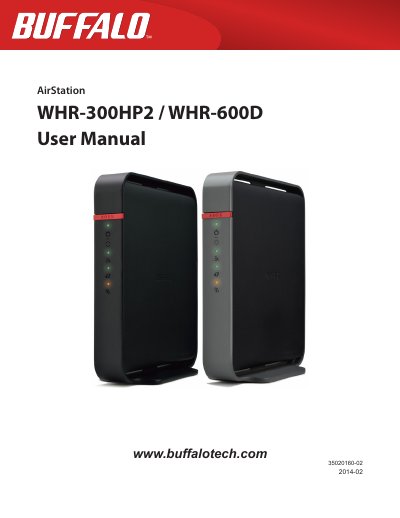
This user manual covers the Buffalo AirStation WHR-300HP2 and WHR-600D wireless routers. It describes the package contents, front and back panel layout including the AOSS button, mode switch, LAN and Internet ports, reset button, and setup card slot, and explains the meaning of the power/diag, wireless, Internet access, and router LEDs.
The manual walks through initial installation, accessing and configuring settings (WAN/LAN, PPPoE, DDNS, DHCP, NAT, wireless, WPS/AOSS, firewall, QoS, eco mode, and administration), connecting Windows, Mac OS, and other devices to the wireless network, troubleshooting common connection problems, and lists the default configuration settings and technical specifications for both models.
| Wireless standards (WHR-300HP2) | IEEE 802.11n / IEEE 802.11g / IEEE 802.11b |
|---|---|
| Wireless standards (WHR-600D) | IEEE 802.11n / IEEE 802.11a / IEEE 802.11g / IEEE 802.11b |
| Wired LAN | IEEE 802.3u (100BASE-TX) / IEEE 802.3 (10BASE-T), 10/100 Mbps |
| Number of LAN ports | 5 |
| Security | AOSS, WPA/WPA2 mixed PSK, WPA2-PSK (AES), WPA-PSK (AES), 64/128-bit WEP, MAC address filter |
| Power supply | External AC 100-240 V Universal, 50/60 Hz |
| Power consumption (WHR-300HP2) | About 10.2 W (Max) |
| Power consumption (WHR-600D) | About 8.2 W (Max) |
| Dimensions | 55 x 130.5 x 159 mm (2.17 x 5.14 x 6.26 in.) |
| Weight | WHR-300HP2: 265 g; WHR-600D: 275 g |
| Operating environment | 0 - 40° C (32 - 104° F), 10 - 85% (non-condensing) |
Hold down the reset button on the back panel until the power/diag LED turns red (about 3 seconds) while the power is on.
Hold down the AOSS button until the wireless LED flashes (about 3 seconds), then push or click the AOSS button on your wireless client device. Both devices must be powered on.
Red blinking patterns indicate errors: 2 blinks is a flash ROM error, 3 blinks a wired LAN error, 4 blinks a wireless LAN error, and 5 blinks an IP address setting error where WAN-side and LAN-side IP addresses are the same.
In bridge (access point) mode, the Internet port becomes a regular LAN port, giving a total of 5 usable LAN ports.