
CRS326-24G-2S+ is a network switch with 24 gigabit ethernet ports and two SFP+ cages.
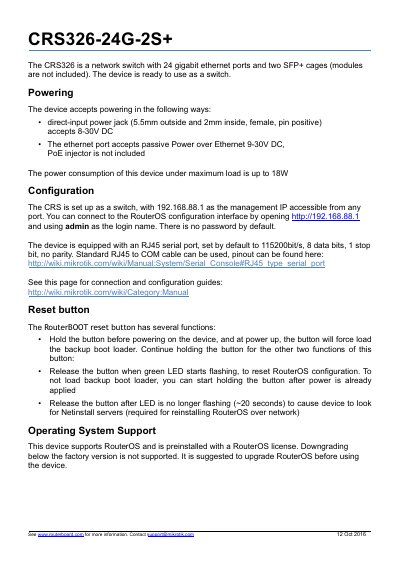
The MikroTik CRS326-24G-2S+ is a network switch with 24 gigabit Ethernet ports and two SFP+ cages; SFP+ modules are not included. It can be powered through a direct-input power jack (8-30 V DC) or by passive Power over Ethernet on the Ethernet port (9-30 V DC). Maximum power consumption under maximum load is up to 18 W.
The device is set up as a switch with 192.168.88.1 as the management IP, accessible from any port. The RouterOS configuration interface is reached at http://192.168.88.1 with admin as the login name and no password by default. The document also describes the RouterBOOT reset button functions, RouterOS support, and CE declaration information.
| Ethernet ports | 24 gigabit Ethernet ports |
|---|---|
| SFP+ cages | 2 (modules not included) |
| Direct-input power jack size | 5.5 mm outside, 2 mm inside, female, pin positive |
| Direct-input power voltage | 8-30 V DC |
| Passive PoE input | 9-30 V DC on the Ethernet port |
| Maximum power consumption | Up to 18 W |
| Management IP | 192.168.88.1 |
| Serial port default settings | 115200 bit/s, 8 data bits, 1 stop bit, no parity |
The device accepts powering through a direct-input power jack with 8-30 V DC or through passive Power over Ethernet on the Ethernet port with 9-30 V DC. A PoE injector is not included.
Open http://192.168.88.1 in a web browser and log in with admin as the login name. There is no password by default.
Hold the reset button before powering on the device, then release the button when the green LED starts flashing.
The device supports RouterOS and is preinstalled with a RouterOS license.