
This document is the user manual for NET30-MPI industrial communication bridge, which mainly introduces the application scenario, installation and parameter setting of the product
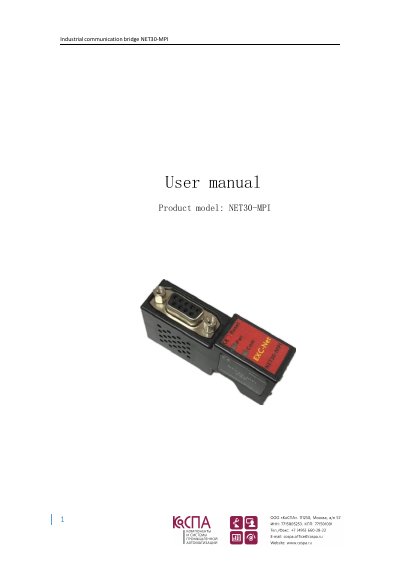
This is the user manual for the NET30-MPI industrial communication bridge, a device that gives industrial equipment networking projects hardware support: it lets an upper terminal collect data from lower-level equipment (mainly PLC, but not limited to PLC) over Ethernet. The bridge is dedicated to Siemens S7-300/400 series PLC and supports Siemens 840D and other CNC systems.
The manual explains how to plug the bridge into the PLC communication port and how to move a touch screen to the bridge expansion port, then how to configure the bridge through its web page (factory IP 192.168.1.188, interface in Chinese or English) or with the EXCLINK parameter setting tool, including IP address, protocol mode, baudrates and S7TCP settings. It also covers programming software communication (PG/PC interface, STEP7), configuration software communication, Modbus slave mapping, and lists the technical parameters, power supply, communication ports, Ethernet port and work environment.
| Product model | NET30-MPI |
|---|---|
| Dimensions (L*W*H) | 65*30*17 mm |
| Weight | 60 g |
| Shell color | Industrial black |
| Power supply mode | PLC communication port direct power supply / external power supply |
| DIP2 voltage | 24 VDC / 100 mA |
| Com1 interface | DSUB9F (RS485) |
| Transmission rate (Com1/Com2) | 9.6/19.2/187.5K/500K/1.5M BPS |
| Communication protocol | MPI / PROFIBUS |
| Ethernet port | RJ45, 10/100M, S7TCP/ModbusTCP, 16 TCP connections |
| Default IP address | 192.168.1.188 |
| Work temperature | -20 to 85 °C |
| Humidity | 95% non condensing |
| Electromagnetic compatibility | 2014/30/EU, CE |
The bridge leaves the factory with the IP address 192.168.1.188, and the computer must be set in the same network segment before you can open the web page.
If the password is not set or the two entries are inconsistent, the login password is the default: admin.
The bridge is dedicated to Siemens S7-300/400 series PLC and also supports Siemens 840D and other CNC systems.
The protocol mode can be set to MPI M/S when the bridge is inserted into the MPI port of the PLC, or PROFIBUS when it is inserted into the DP port.
The bridge plugs directly into the communication port of the PLC, and it is powered directly from the PLC communication port or by an external power supply.