
This document is the connection manual of Moeller EasyPLC 800/MFD HMI, including communication parameters and connection methods.
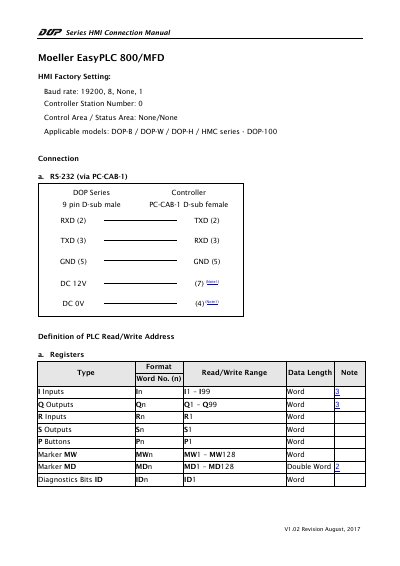
This document is the Series HMI Connection Manual for the Moeller EasyPLC 800/MFD, revised in August 2017. It details the factory settings for the controller station, including the baud rate (19200, 8, None, 1) and station number (0). The manual specifies that this applies to DOP-B, DOP-W, DOP-H, HMC series, and DOP-100 models.
| Baud rate | 19200, 8, None, 1 |
|---|---|
| Controller Station Number | 0 |
| Applicable models | DOP-B / DOP-W / DOP-H / HMC series、DOP-100 |
| Communication voltage requirement | 10~12V |
The applicable models are DOP-B, DOP-W, DOP-H, HMC series, and DOP-100.
The default Controller Station Number is 0.
The communication port requires an additional 10~12V, with positive voltage to pin 7 and negative voltage to pin 4.