
Introduces the use of Mitel 5360 IP PHONE
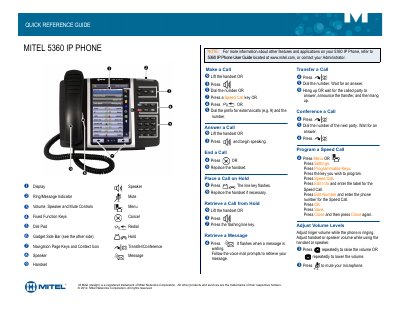
This guide explains how to make and receive calls, adjust volume, mute, and use speed dial on the Mitel 5360 IP Phone. It also covers accessing the Gadget Sidebar for quick access to features like Call History, Voice Mail, and People. The guide includes instructions for calibrating the touch screen, enabling or disabling call forwarding, and managing contacts.
Additional sections cover cleaning the phone screen, accessing help, and customizing phone settings through the menu system. All instructions are presented as step-by-step touch or button operations for ease of use.
Lift the handset OR press the dial pad to dial the number. For external calls, dial the prefix (e.g., 9) and the number.
Press the volume control button repeatedly to raise or lower the volume. Press it to mute your microphone.
Touch the specific application icon on the Gadget Sidebar or press Menu to open the Menu window and then touch the application name.
Press Menu, then Settings, then Calibrate Display. Touch the center of each + to calibrate the display.