
This document is about the installation and operation manual of J301A-001 audio controller, which introduces the product's features and usage methods in detail.
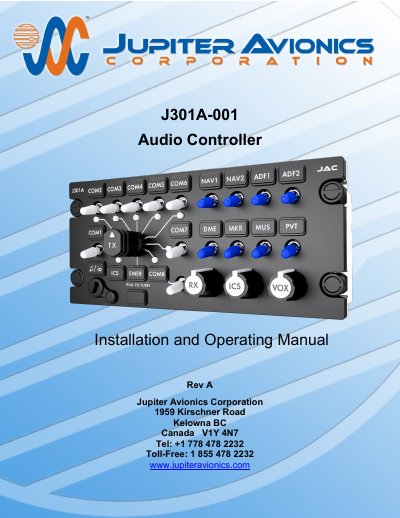
Jupiter Avionics J301A-001 is an audio controller that distributes and controls transceiver, receiver and warning source audio for one user in an aircraft. It supports up to eight transceivers, up to six receivers and four Direct Audio inputs, and has a CVR output and intercom VOX operation.
The Installation and Operating Manual covers the system description, inputs and outputs, electrical and mechanical specifications, installation procedures, configuration using ProCS™, front panel controls, normal operation and emergency operation. Configuration is done per installation using a configuration cable and a PC running the product configuration tool through the front panel music/configuration connector.
| Primary nominal voltage | 28 Vdc |
|---|---|
| Secondary nominal voltage | 14 Vdc |
| Maximum voltage | 32.2 Vdc |
| Input current at 28 Vdc | ≤ 0.7 A |
| Height | 2.625 in [67.7 mm] max |
| Weight | 1.64 lb [0.74 kg] max |
| Connectors | Main J1: one 50-pin D-Sub male; Direct Audio J2: one 15-pin D-Sub male; Expansion J3: one 25-pin D-Sub male; Music/Configuration J4: one 4 pole 3.5mm stereo jack; Chassis Ground J5: one 4-40 stud |
| Audio frequency response | ≤3dB from 300 to 6000 Hz |
| Audio distortion | ≤10% THD + N at rated power |
| Receive audio control variation | 32 ±3dB |
| ICS audio control variation | 42 ±3dB |
| VOX threshold control range | -30 to +12 dB |
It supports up to eight transceivers, each selectable from a rotary switch.
It supports up to six receivers.
It directs the user to the COM 1 transceiver, NAV1 receiver and all Direct Audio.
It is set up on a per-installation basis using a configuration cable and a PC running the product configuration tool.