
This manual introduces the installation and operation methods of JA72-210 Glove Box with Dual USB Charger 10 Dzus
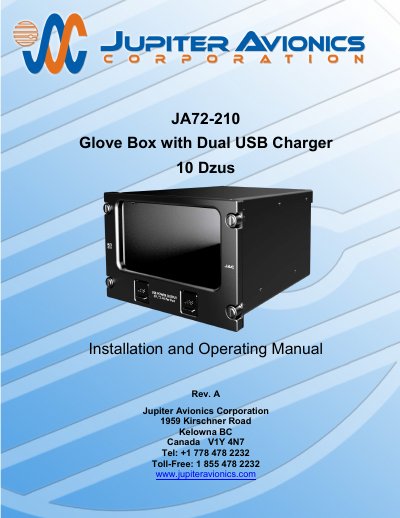
The Jupiter Avionics JA72-210 Glove Box with Dual USB Charger is an aircraft accessory designed to utilize an unused portion of the instrument panel for storage. It features a black anodized interior to minimize scratches and utilizes a 10 Dzus high aperture for mounting. The unit includes two USB 2.0 Type A receptacles that supply 5 Vdc power up to 2.1 Amps each for charging cell phones and similar devices. These ports are intended for power only and are not designed for data transfer. The enclosure is constructed from 5052-H32 aluminum with a brushed texture and black anodized finish, while the faceplate is made of 6061-T651 aluminum with flat black urethane paint and white legends.
| USB Output Voltage | 5 Vdc |
|---|---|
| USB Output Current | 2.10 A |
| Power Input Nominal Voltage | 28.0 Vdc |
| Power Input Maximum Voltage | 32.2 Vdc |
| Power Input Minimum Voltage | 22.0 Vdc |
| Enclosure Material | 5052-H32 aluminum |
No, these ports are not designed to be used for data transfer.
All products manufactured by JAC are warranted for 2 years from the date of installation by an approved JAC dealer or agency.
The manual recommends using a POSITRONIC 9507-0-0-0 or DANIELS AFM 8 K13-1 hand crimping tool.