
Key facts
- Manuals
- 6
- Languages
- EN
- Last added
- 2023-10-18
Featured Jupiter Avionics manuals

Jupiter Avionics JA70-005 Five Dzus Glove Box Installation Manual
This manual provides installation instructions for the JA70-005 Five Dzus Glove Box, designed for aircraft instrument panel use. It includes mechanical and environmental specifications, installation procedures, and warranty information. The unit is tested to DO-160G standards for shock, vibration, and flammability. Installation requires four Dzus fasteners and no separate kit is provided.
The glove box is made of black anodized 5052-H32 aluminum, weighs 0.52 lb, and measures 5.75 in wide by 1.875 in high. It is intended for temporary storage and features a high-friction interior to reduce vibration noise. Maintenance is condition-based, with no scheduled inspections required.
Covers: System Overview · Features Overview · Specifications · Installation Procedures · Unpacking and Inspection · Warranty
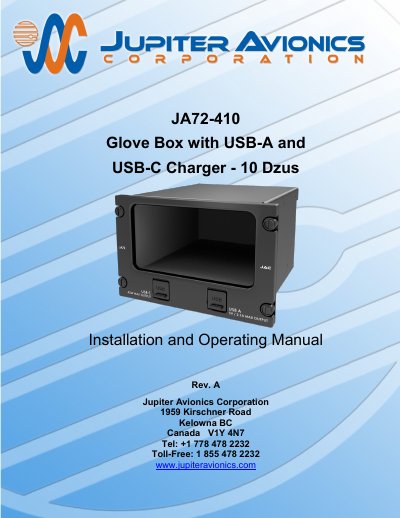
Jupiter Avionics JA72-410 Glove Box Installation and Operating Manual
The Jupiter Avionics JA72-410 is a glove box designed for aircraft instrument panels, utilizing a 10 Dzus high aperture for mounting. It features a black anodized interior finish to minimize scratches and includes two power output ports: a USB Type A receptacle supplying 5 Vdc up to 2.1 Amps and a USB Type C receptacle capable of delivering up to 45 Watts via USB PD.
Covers: System Overview · Features Overview · Inputs and Outputs · Electrical Specifications · Mechanical Specifications · Unpacking and Inspecting Equipment
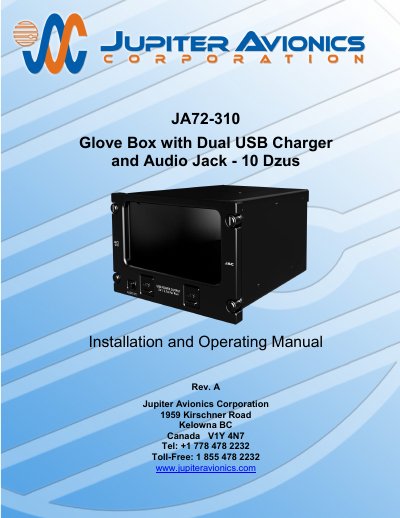
Jupiter Avionics JA72-310 Glove Box with Dual USB Charger and Audio Jack Installation Guide
This document provides installation and operating instructions for the JA72-310 Glove Box, designed for aircraft use. It includes wiring, mechanical installation, and post-installation checks. The unit features two USB 2.0 Type A ports for charging devices and a 3.5mm stereo jack for audio connectivity. Installation must comply with aircraft airworthiness standards and wiring specifications.
Covers: System Overview · Features Overview · Inputs and Outputs · Specifications · Installation Procedures · Operation
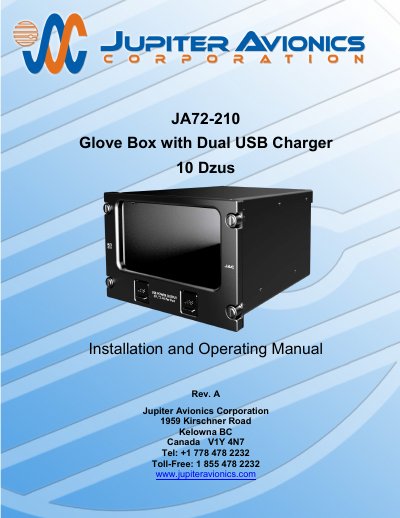
Jupiter Avionics JA72-210 Glove Box with Dual USB Charger Installation and Operating Manual
The Jupiter Avionics JA72-210 Glove Box with Dual USB Charger is an aircraft accessory designed to utilize an unused portion of the instrument panel for storage. It features a black anodized interior to minimize scratches and utilizes a 10 Dzus high aperture for mounting. The unit includes two USB 2.0 Type A receptacles that supply 5 Vdc power up to 2.1 Amps each for charging cell phones and similar devices. These ports are intended for power only and are not designed for data transfer. The enclosure is constructed from 5052-H32 aluminum with a brushed texture and black anodized finish, while the faceplate is made of 6061-T651 aluminum with flat black urethane paint and white legends.
Covers: System Overview · Features Overview · Inputs and Outputs · Electrical Specifications · Mechanical Specifications · Unpacking and Inspecting Equipment
Latest Jupiter Avionics manuals
Jupiter Avionics JA70-005 Five Dzus Glove Box Installation Manual
Installation Guide 7 pages · 740 KB · ENInstallation guide for the JA70-005 Five Dzus Glove Box by Jupiter Avionics, covering mechanical specs, environmental testing, and mounting procedures.
Jupiter Avionics JA72-410 Glove Box Installation and Operating Manual
User Manual 17 pages · 2.3 MB · ENThis manual provides installation and operating instructions for the Jupiter Avionics JA72-410 Glove Box, featuring USB-A and USB-C power outputs for…
Jupiter Avionics JA72-310 Glove Box with Dual USB Charger and Audio Jack Installation Guide
Installation Guide 16 pages · 1.4 MB · ENInstallation and operating manual for Jupiter Avionics JA72-310 glove box with dual USB charger and audio jack.
Jupiter Avionics JA72-210 Glove Box with Dual USB Charger Installation and Operating Manual
User Manual 16 pages · 1.2 MB · ENThis manual provides installation and operating instructions for the Jupiter Avionics JA72-210 Glove Box with Dual USB Charger, including specifications…
Jupiter Avionics JA77-006 Switch Plate Installation and Operating Manual
User Manual 16 pages · 2.5 MB · ENThis manual covers the installation and operation of the Jupiter Avionics JA77-006 switch plate with dual removable legends for aircraft applications.
Jupiter Avionics JA72-005 Glove Box with Dual USB-C Charger - 10 Dzus Installation and Operating Manual
Installation Guide 16 pages · 1.6 MB · ENInstallation and operating instructions for the Jupiter Avionics JA72-510 Glove Box with Dual USB-C Charger, featuring 10 Dzus mounting and aircraft-grade…
Which document do I need?
Installation Guide
Mounting, wiring and first power-up. Read it before the hardware goes in.
User Manual
Day-to-day operation, settings and troubleshooting. Start here if the product is already set up.
Questions answered in Jupiter Avionics manuals
What is the maximum weight of the JA70-005 glove box?
The maximum weight is 0.52 lb [0.236 kg].
From: Jupiter Avionics JA70-005 Five Dzus Glove Box Installation Manual
What materials is the JA70-005 made of?
It is made of black anodized 5052-H32 aluminum.
From: Jupiter Avionics JA70-005 Five Dzus Glove Box Installation Manual
What is the warranty period for the JA72-410?
The product is warranted for 2 years from the date of installation by an approved dealer.
From: Jupiter Avionics JA72-410 Glove Box Installation and Operating Manual
Is the JA72-410 suitable for data transfer?
No, the USB-A port is not designed to be used for data transfer.
From: Jupiter Avionics JA72-410 Glove Box Installation and Operating Manual
What is the power output of the USB ports?
Each USB port provides 5 Vdc up to 2.1 Amps.
From: Jupiter Avionics JA72-310 Glove Box with Dual USB Charger and Audio Jack Installation Guide
What materials is the enclosure made of?
The enclosure is made of 5052-H32 aluminum with a brushed texture and black anodized finish.
From: Jupiter Avionics JA72-310 Glove Box with Dual USB Charger and Audio Jack Installation Guide