
xPrintServer can automatically set up USB and network printers, needs internet access, supports Google Cloud Print service
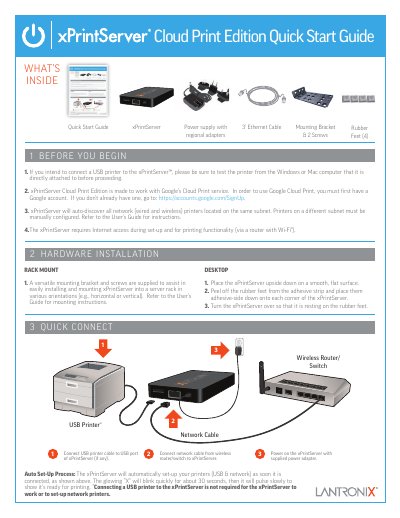
This Quick Start Guide provides instructions for setting up the Lantronix xPrintServer Cloud Print Edition. It details hardware installation for desktop or rack mounting, connecting the device to a network, and registering with Google Cloud Print using the default admin credentials.
The default username is admin and the default password is PASS.
The glowing X will blink quickly for about 30 seconds before pulsing slowly.
Support is available Monday through Friday from 6:00 a.m. to 5:00 p.m. Pacific Time.