
Key facts
- Manuals
- 5
- Languages
- EN · ZH
- Last added
- 2026-10-03
Featured Lantronix manuals
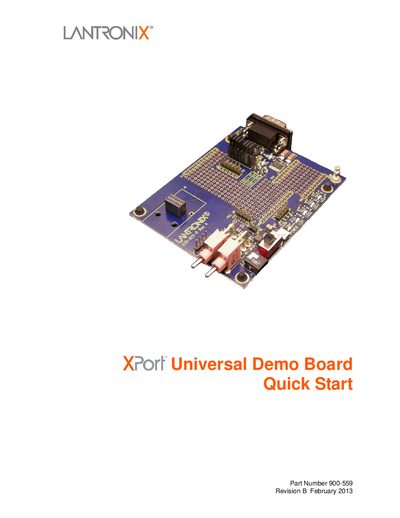
Lantronix XPort Universal Demo Board Quick Start Guide
The Quick Start guide walks you through the initial connection of the XPort Universal Demo Board, either through an Ethernet network or a serial port. It includes a list of the kit contents, required hardware, and the steps to power up the board.
After the hardware is connected, the guide explains how to install Lantronix DeviceInstaller, assign an IP address (DHCP, AutoIP, or static), and use the Web Manager or command‑line interface for configuration. It also provides serial‑port settings and instructions for accessing the device via a terminal program.
Covers: Introduction · Kit Contents · Hardware Address · IP Address · Connecting an XPort Device · Install DeviceInstaller
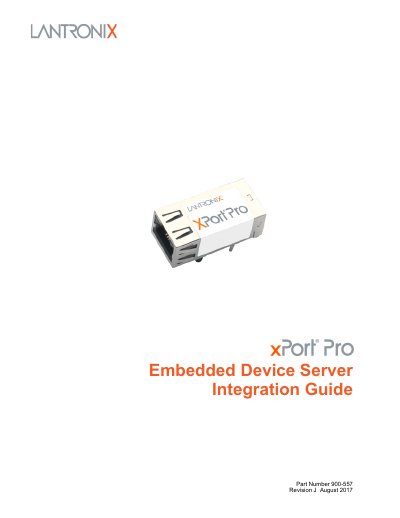
Lantronix xPort Pro Embedded Device Server Integration Guide
This guide is intended for engineers who need to integrate the Lantronix xPort Pro embedded device server into a custom printed‑circuit board. It covers hardware features, electrical and functional specifications, and recommended PCB layout and grounding practices.
The document includes block diagrams, pin‑out tables, dimensions, LED descriptions, power and temperature limits, as well as compliance information and a 485 connection example. It also references related user guides and software tools for configuration.
Covers: Introduction · Description and Specifications · PCB Interface · Ethernet Interface · LEDs · Dimensions

Lantronix Xport Application Guide
This guide introduces the Lantronix Xport device, covering its hardware parameters, network configuration options, and serial communication features. It provides detailed instructions for integrating Xport into product designs and configuring its interfaces.
The document also outlines operating environment limits, supported protocols (TCP/IP, UDP, Telnet), power requirements, and how to use Lantronix's custom programming tools for extending Xport functionality. This manual is written in Chinese.
Covers: Integration into Product Design · Hardware Interface and Power Requirements · Operating Temperature and Humidity · Configuration Methods · Supported Protocols (TCP/IP, UDP, Telnet) · TCP/UDP Command Format
Latest Lantronix manuals
Lantronix XPort Universal Demo Board Quick Start Guide
Quick Start Guide 10 pages · 329 KB · ENThis quick start guide shows how to set up and configure the Lantronix XPort Universal Demo Board via network or serial connection.
Lantronix xPort Pro Embedded Device Server Integration Guide
Installation Guide 17 pages · 892 KB · ENIntegration guide with specifications and PCB layout instructions for the Lantronix xPort Pro embedded device server.
Lantronix Xport Application Guide
Application Note 54 pages · 1.5 MB · ZHThe Lantronix Xport Application Guide explains hardware specs, network setup, UART communication, and configuration steps.
LANTRONIX MatchPort b/g Manual
MatchPort b/g is a very affordable embedded 802.11 b/g wireless networking module from Lantronix. It supports a variety of network interfaces, including wired and wireless, and has bulletproof security. It also comes with a full TCP/IP stack, Web server and Windows deployment software.
LANTRONIX Com Port Redirector software user manual
Which document do I need?
Quick Start Guide
The shortest path to a working setup, usually only a few pages.
Installation Guide
Mounting, wiring and first power-up. Read it before the hardware goes in.
Application Note
How to use the product for one specific task, with worked examples.
Questions answered in Lantronix manuals
How do I assign a static IP address to the XPort board?
Use DeviceInstaller, select “Assign a specific IP address,” and enter the desired address; the subnet mask is filled in automatically.
From: Lantronix XPort Universal Demo Board Quick Start Guide
What should I do if I cannot use a network connection for initial setup?
Use the serial method: connect a null‑modem cable between the PC and the board, then access the CLI with the specified serial settings.
From: Lantronix XPort Universal Demo Board Quick Start Guide
What power supply voltage does the xPort Pro require?
The device is powered from a +3.3 V supply; typical VCC is 3.3 V with a range of 3.15 V to 3.46 V.
From: Lantronix xPort Pro Embedded Device Server Integration Guide
Which baud rates are supported by the serial interface?
The UART can be set from 300 bps up to 921 600 bps, but the standard 460 800 bps rate is not supported.
From: Lantronix xPort Pro Embedded Device Server Integration Guide
What voltage does the Xport interface use?
Xport operates with a 3.3 V interface.
Can Xport be connected directly to a 5 V microcontroller?
No, Xport cannot be used with 5 V devices; it requires 3.3 V components.