
IS-Dev Kit-7 User's Manual introduces features and characteristics of this product, as well as how to use it.
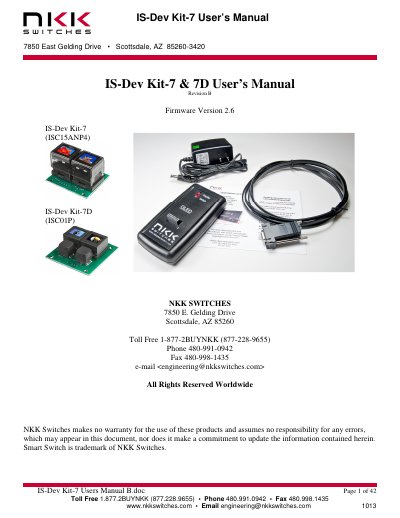
This manual covers the operation and programming of the IS-Dev Kit-7 and IS-Dev Kit-7D, which include OLED SmartSwitches or SmartDisplays. It explains how to use the controller, adjust brightness, program images and attributes, and communicate via RS232. The kits come preprogrammed for demonstration and can be customized using the free Universal Communicator software.
The kits support stand-alone operation or real-time control via host commands. Features include RGB OLED displays, adjustable brightness, audio feedback, and 65,535 image addresses. The manual also includes hardware details, communication protocols, and troubleshooting for firmware issues.
| Brightness Levels | 16 levels (0 to F) |
|---|---|
| Power Supply | 9V battery or AC power supply (9V battery not included) |
| MicroSD Flash Capacity | Up to 65,536 images |
| Communication Protocol | RS232 (57.6K, 1 start bit, 8 bit, 1 stop bit) |
| Controller Board | CL04 |
The IS-Dev Kit-7 controls two OLED (64x48) SmartSwitches (ISC15ANP4).
Power requirement: 5V to 12V at 100 mA Max.
The maximum brightness level is F.
There are 65535 addresses (0x0001 to 0xFFFF) to store images and attributes.