
NKK Switches IS-S04G1LC-S LCD 64x32 SmartDisplay Switch User Manual

This manual introduces the IS-S04G1LC-S model LCD 64x32 SmartDisplay switch.
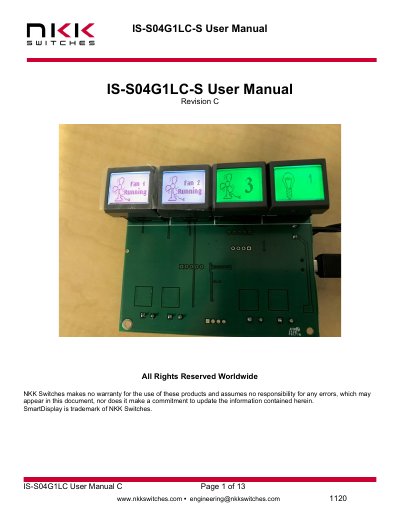

NKK Switches IS-S04G1LC-S LCD 64x32 SmartDisplay Switch User Manual - cover page
Brand
NKK SWITCHES
Category
Other Electronics
Document type
User Manual
Language
English
Pages
13
File format
PDF
File size
776 KB
Published
21 October, 2023
Updated
21 October, 2023
MD5 checksum
6306EE313479518611FA5812B21E117C

About this manual

The IS-S04G1LC-S is a graphic 64x32 pixels LCD display mounted in the key cap of a tactile momentary pushbutton. It features an RGB backlight with 64 color options and 8 brightness levels, designed to control four 12V lights or fans. The system allows for user-defined images and backlights to indicate ON/OFF states and PWM levels.

What's inside

  • LCD 64x32 SmartDisplay Switch
  • General Features
  • Electrical Specifications
  • Images and Backlights
  • Operational Overview
  • Saving Images Using Engineering Kits Communicator
  • Board Connections
  • ASCII Hex
  • Key Terms & Definitions
  • Warranty

Specifications

Backlight Colors64 color options
Backlight Brightness Levels8 levels
Controlled Devices4 lights or fans
Input Voltage7V to 12V
Operating Temperature-10 to +50 Degree C
Storage Temperature-20 to +60 Degree C
Communication InterfaceUSB

Frequently asked questions

What is the input voltage range for the IS-S04G1LC-S?

The input voltage range is 7V to 12V.

How many brightness levels are available for the backlight?

There are 8 brightness levels available.

What happens when there is no switch activity for 20 seconds?

The backlights will be turned OFF.

How do you change the PWM level for a light or fan?

Hold any of the switches down for about 2.5 seconds to change the PWM level.

Download PDF (776 KB)

More NKK SWITCHES Manuals


View all NKK SWITCHES manuals →