
This manual explains how to connect a Sanyo backup camera system to GM vehicles with Navigation.
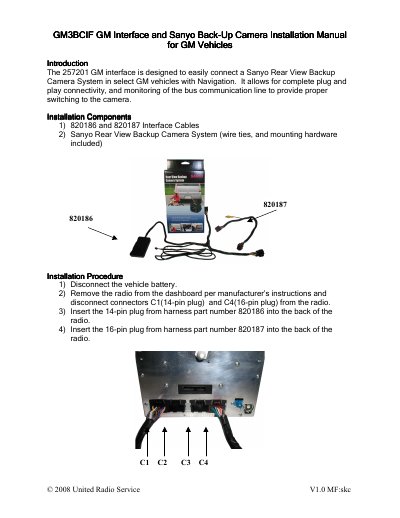
This guide explains how to install a Sanyo rear view backup camera system in select GM vehicles with navigation. It includes steps for disconnecting the battery, removing the radio, connecting interface cables, and securing the camera components. The installation is designed for plug-and-play compatibility with GM’s bus communication system.
The guide specifies required parts: interface cables 820186 and 820187, and the Sanyo camera system with mounting hardware. After connecting all components, the radio is reinstalled, and the battery is reconnected to test operation.
It is designed to connect a Sanyo Rear View Backup Camera System in select GM vehicles with Navigation.
You must disconnect the vehicle battery before beginning the installation.
You must disconnect connectors C1, which is a 14-pin plug, and C4, which is a 16-pin plug.