
This document introduces the operation of KORG LP-180 BK electronic piano, including playing, playing songs, using automatic accompaniment, recording playing, and playing songs in U disk
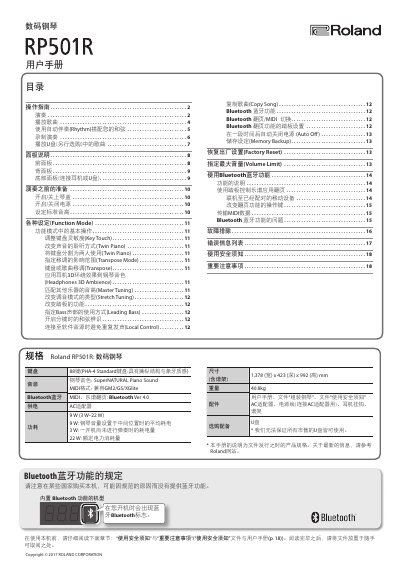
This user manual provides instructions for operating the Roland RP201R digital piano, including sound selection, split and dual play modes, metronome settings, and Bluetooth connectivity. It also covers playback from USB drives and troubleshooting.
The piano features 88 PHA-4 standard keys, SuperNATURAL piano sounds, Bluetooth 4.0, and compatibility with GM2/GS/XG Lite MIDI formats. Safety and usage notes are included for proper operation. This manual is written in Chinese.
| Keyboard | 88 keys (PHA-4 Standard) |
|---|---|
| Sound | SuperNATURAL Piano Sound |
| MIDI Compatibility | GM2/GS/XG Lite |
| Bluetooth Version | 4.0 |
| Weight | 40.8kg |
| Dimensions | 1378 (宽) x 423 (深) x 992 (高) mm |
Press the Bluetooth button to enable Bluetooth, then pair with your device via the Bluetooth menu.
It is compatible with GM2, GS, and XG Lite MIDI formats.
Yes, you can play music stored on a USB drive, though not all USB drives are guaranteed to work.
Use the [Metronome] key to access the key touch settings and adjust sensitivity using the [-] and [+] keys.