
HP LaserJet 9000mfp/9000Lmfp Multifunction Printer User Guide

This document describes the features and advantages of the HP LaserJet 9000mfp and HP LaserJet 9000Lmfp multifunction laser printers and the software that can increase flexibility and productivity.
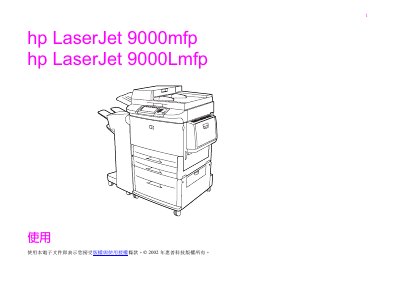

HP LaserJet 9000mfp/9000Lmfp Multifunction Printer User Guide - cover page
Brand
HP
Category
Printer
Document type
User Manual
Language
ZH-TW
Pages
244
File format
PDF
File size
4.7 MB
Published
20 October, 2023
Updated
20 October, 2023
MD5 checksum
257EC8B6271E275F0578480008C80D00

About this manual

This manual provides instructions for the HP LaserJet 9000mfp and HP LaserJet 9000Lmfp multifunction laser printers. It covers the device's features, including copying, scanning, and printing capabilities, as well as software compatibility for Windows and Macintosh systems. This manual is written in Chinese.

What's inside

  • Basic Knowledge
  • Control Panel
  • Digital Fax
  • Copying
  • Printing
  • Product Maintenance
  • Troubleshooting
  • Specifications
  • Printer Commands
  • Management Information

Frequently asked questions

What is the product designed for?

It is designed for group sharing and allows users to send black-and-white or color documents, copy, and send print jobs digitally.

What is the product's operating mode when not connected to a computer?

It can be used independently without connecting to a computer.

What is the product's power-saving feature called?

The power-saving feature is called PowerSave.

Download PDF (4.7 MB)

More HP Manuals


View all HP manuals →