
This manual introduces the features and usage of Extech SD200 3-Channel Temperature Datalogger. The datalogger can simultaneously display three temperature channels and store the data in SD card in Excel® format for easy transfer to a PC.
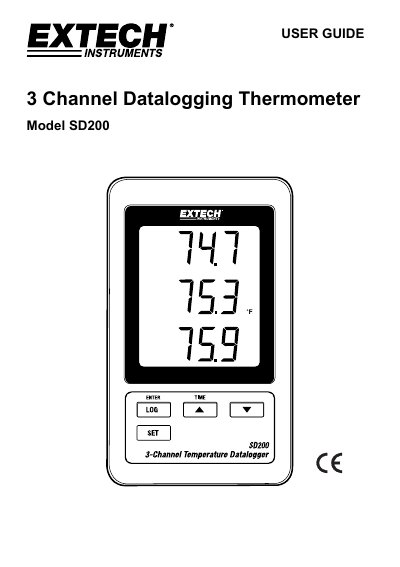
This user guide explains how to operate the Extech SD200 3-Channel Temperature Datalogger. It covers connecting Type K thermocouples, setting up the SD card, configuring sampling rates, and transferring data to a PC via Excel. The device features a triple LCD display, selectable data logging intervals, and supports both battery and AC power. Advanced settings include date/time, decimal format, and RS232 output configuration.
The manual also includes troubleshooting tips, such as resetting the device if frozen, and safety instructions for battery disposal and handling.
| Display | 60 mm x 50 mm (2.4 x 2.0”) LCD |
|---|---|
| Temperature Probes | Type K thermocouple |
| Memory Card | SD memory card, 1 GB to 16 GB |
| Sampling Time | 5/10/30/60/120/300/600 seconds or Auto |
| Resolution | 0.1°F/°C |
| Power Supply | 6 AAA (UM4) Alkaline or heavy duty 1.5 V batteries or 9V AC adaptor |
| Weight | 199 g / 0.44 LB |
| Dimensions | 132 x 80 x 32 mm (5.2 x 3.1 x 1.3“) |
| Operating Temperature | 0 to 50 °C (32 to 122°F) |
| Operating Humidity | Less than 85% R.H. |
Insert the Type K thermocouple mini-connector plug into the mini-connector socket on the bottom of the datalogger, observing polarity (wide blade/narrow blade). Up to three probes may be installed.
Data is stored on an SD card in Excel® format. The first file created is TMC01001.XLS, and new files are created every 30,000 columns until TMC01099.XLS, after which a new folder TMC02 is created.