
This manual introduces safe use and maintenance methods for EIZO monitors
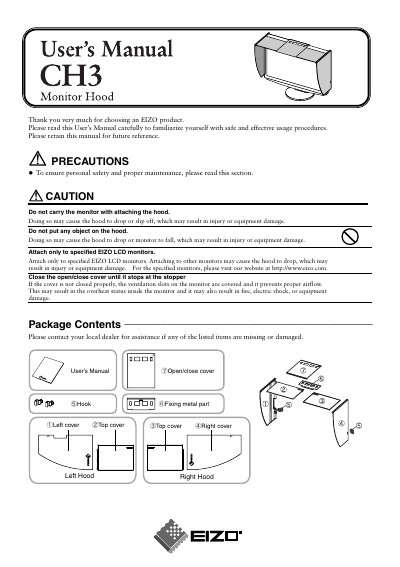
This manual provides step-by-step instructions for installing the EIZO CH3 monitor hood. It includes safety warnings, assembly steps for left and right hoods, and attachment methods. The hood is designed for 21" and 24" monitors and weighs 790g. Proper installation ensures safe operation and prevents overheating or damage.
The manual also includes specifications for dimensions and weight, and contact information for regional support. It is intended for users who need to attach the hood to specified EIZO LCD monitors only.
| Dimensions (21" monitor) | 506 mm (19.9") x 355.1 mm (14") x 240 mm (9.4") |
|---|---|
| Dimensions (24" monitor) | 571 mm (22.5") x 355.1 mm (14") x 240 mm (9.4") |
| Weight | 790g (1.74 lbs) |
The CH3 hood weighs 790g (1.74 lbs).
The weight is 790g (1.74 Ibs).
The dimensions are 571 mm (22.5) x 355.1 mm (14) x 240 mm (9.4).
The ventilation slots are covered, which prevents proper airflow and may cause overheating, fire, electric shock, or equipment damage.