
This product is a multi-function card reader that can read SD, MMC, MS, CF cards and other types of cards.
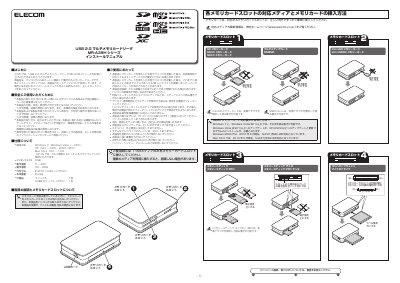
This manual provides step-by-step instructions for installing and using the ELECOM MR-A38H multi-function card reader. It covers connecting the device to a computer via USB, inserting compatible memory cards, and safely removing them. The manual also lists supported operating systems and notes on compatibility with various card types.
Safety precautions are included, such as avoiding water exposure, not modifying the device, and handling cards only when the device is powered off. Users are advised to format media in compatible devices to avoid read/write issues. This manual is written in Japanese.
| Supported OS | Windows 7, Windows Vista (SP8), XP (SP1 - SP3), Windows 8 (SP4), Mac OS X 10.8 - 10.8 |
|---|---|
| Dimensions | Approx. W70 x D48 x H15mm |
Windows 7, Windows Vista (SP8), XP (SP1 - SP3), Windows 8 (SP4), Mac OS X 10.8 - 10.8.
SD, SDHC, SDXC, MMC, microSD, Memory Stick Micro (M2), and others with adapters.
Yes, but Windows 2000 Service Pack 4 or later is required.